ENGLISH
Installation:
Windows 8.1/10/11 (32/64 bit)
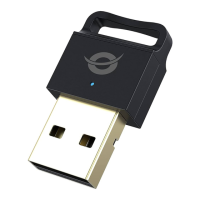
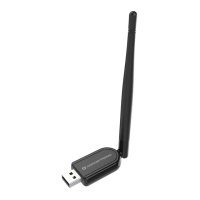
• Insert the ABBY07B into a free USB port on your computer.
Your computer will recognize and install the ABBY07B automatically. No driver
installation is required.
Windows 7 (32/64 bit)
• Download and install the ABBY07B driver from
https://www.conceptronic.net/conceptronic_en/amfile/file/download/file/16248/pro
duct/12485/
• Insert the ABBY07B into a free USB port on your computer.
Usage:
• When your computer has automatically installed the default Microsoft driver, a
Bluetooth icon will appear in your system tray:
• You can access the Microsoft Bluetooth Stack by double-clicking on the
Bluetooth icon in your system tray, or by selecting the Bluetooth icon from your
control panel.
DEUTSCH
Installation:
Windows 8.1/10/11 (32/64 bit)
• Schließen Sie den ABBY07B an einen freien USB-Port Ihres Computers an.
Der Computer erkennt und installiert den ABBY07B automatisch. Keine
Treiberinstallation erforderlich.
Windows 7 (32/64 bit)
• Treiber der ABBY07B herunterladen und installieren:
https://www.conceptronic.net/conceptronic_en/amfile/file/download/file/16248/pro
duct/12485/
• Schließen Sie den ABBY07B an einen freien USB-Port Ihres Computers an.
Verwendung:
• Nachdem Ihr Computer den Microsoft-Standardtreiber automatisch installiert hat,
erscheint ein Bluetooth-Symbol in Ihrer Kontrollleiste.
• Sie können durch Doppelklicken auf das Bluetooth-Symbol in Ihrer Kontrollleiste
oder durch Auswählen des Bluetooth-Symbols in der Systemsteuerung auf den
Microsoft Bluetooth-Stack zugreifen.


 To Next Page