EasyManua.ls Logo

Conceptronic CSATAi23U - User Manual

Conceptronic CSATAi23U
66 pages
Go to English
Print Icon
To Next Page IconTo Next Page
Loading...
NEDERLANDS
1
Conceptronic CSATAi23U versie 2.0
Gebruiksaanwijzing
Gefeliciteerd met uw nieuwe
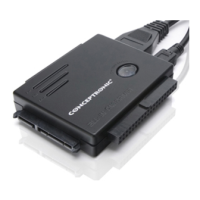
Conceptronic SATA & IDE naar USB & eSATA adapter
In deze gebruiksaanwijzing vindt u stap-voor-stap instructies voor installatie en gebruik van de
Conceptronic CSATAi23U op uw computer.
Als u meer informatie of ondersteuning voor uw product nodig heeft, kunt u het beste naar onze Service &
Support website op www.conceptronic.net/support
gaan en een van de volgende mogelijkheden kiezen:
FAQ : Database met veel gestelde vragen
Downloads : Gebruiksaanwijzingen, stuurprogramma's, firmware en overige downloads
Contact : Contact opnemen met Conceptronic Support
Voor algemene informatie over Conceptronic producten gaat u naar de Conceptronic website op
www.conceptronic.net
.
Bij problemen kunt u het beste naar onze support-site gaan (www.conceptronic.net
- klik op 'Support').
Daar vindt u een database met veel gestelde vragen (FAQ).
NB:
De informatie in deze gebruiksaanwijzing is gebaseerd op Windows Vista en Windows 7, en kan
dus afwijken van het gebruik op uw computer als deze een ander besturingssysteem heeft.
1. Inhoud verpakking
U vindt de volgende items in de verpakking van de Conceptronic CSATAi23U:
Conceptronic SATA & IDE naar USB & eSATA adapter.
Kabel mini-USB naar USB
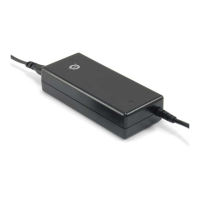
Netvoeding
Netsnoer voor netvoeding
Stroomsplitterkabel (voor harddisk en CSATAi23U)
IDE verlengkabel
Product CD-ROM
Deze meertalige gebruiksaanwijzing
Garantiekaart en CE-verklaring boekje
Question and Answer IconNeed help?

Do you have a question about the Conceptronic CSATAi23U and is the answer not in the manual?

Conceptronic CSATAi23U Specifications

General IconGeneral
ModelCSATAi23U
InterfaceUSB 2.0
Device TypeAdapter
ConnectorsSATA
Supported Drives2.5" SATA HDD/SSD
CompatibilityWindows, macOS
Operating System SupportMac OS X, Linux

Summary

Package Contents

Product Overview

Connecting the CSATAi23 U

One Touch Backup

Installation of Backup Software

Step-by-step guide to install the backup software from the product CD-ROM.

Configuring Your Backup

Select folders and destination drive for backup in the backup software.

Starting a Backup

Initiate backup via button or software; monitor progress and review summary report.

Appendix: Device Connections

2.5 SATA Device Connection

Illustrates connection of a 2.5-inch SATA HDD to the adapter.

3.5 SATA Device Connection

Illustrates connection of a 3.5-inch SATA HDD to the adapter.

2.5 IDE Device Connection

Illustrates connection of a 2.5-inch IDE HDD to the adapter.

3.5 IDE Device Connection

Illustrates connection of a 3.5-inch IDE HDD to the adapter.

5.25 IDE Device Connection

Illustrates connection of a 5.25-inch optical drive to the adapter.

Related product manuals