ENGLISH
9
2. Product overview
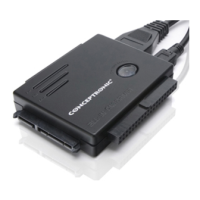
Description of the numbers:
1. LED indicators Power, Activity and SATA LED’s
2. 2.5” IDE connector Connect a 2.5” IDE Device
3. Copy button (Only works in combination with bundled software!)
4. 3.5” IDE connector Connect a 3.5” or 5.25” IDE Device
5. eSATA connector Connect the CSATAi23U to your PC through eSATA *
6. Mini-USB connector Connect the CSATAi23U to your PC through USB
7. Molex power connector For power to the CSATAi23U
8. SATA connector Connect a 2.5”, 3.5” or 5.25” SATA Device
* If the eSATA connector is used for connection to your PC, you can only use the SATA connector on the
CSATAi23U. It is not
possible to connect an IDE device to the CSATAi23U and access it through the
eSATA connection.
1 2


 To Next Page