English
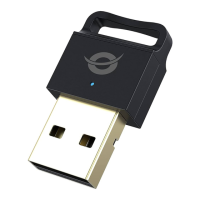
Congratulations on the purchase of your Conceptronic ABBY16B.
When problems occur, we advise you to visit our support site (go to
www.conceptronic.net and click on 'Support'). If you have other questions about your
product and cannot find it on our website, please contact us at:
support@conceptronic.net. For more information about Conceptronic products,
please visit the Conceptronic website: www.conceptronic.net.
System Requirements
◼ Windows 8.1/10/11 (32/64 bit)
◼ PC, laptop with available USB port
Installation
◼ Insert the ABBY16B into a free USB port on your computer.
◼ Your computer will recognize and install the ABBY16B automatically. No driver
installation is required.
Usage
When your computer has automatically installed the default Microsoft driver, a
Bluetooth icon will appear in your system tray:
You can access the Microsoft Bluetooth Stack by double-clicking on the Bluetooth
icon in your system tray, or by selecting the Bluetooth icon from your control panel.



 To Next Page