Need help?
Do you have a question about the Conceptronic CHD3DUSB3 and is the answer not in the manual?
Procedure to connect the 3.5" hard disk box to your computer using power and USB cables.
Steps for safely removing the 3.5" hard disk box from your computer to prevent data loss.
 General
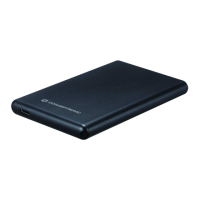
| Interface | USB 3.0 |
|---|---|
| Material | Plastic |
| Maximum Capacity | 2TB |
| Dimensions | 130 x 80 x 15 mm |
| Type | HDD Enclosure |
| Compatibility | Windows, Mac |
| Supported HDD size | 2.5 inch |


 To Next Page