ENGLISH
10
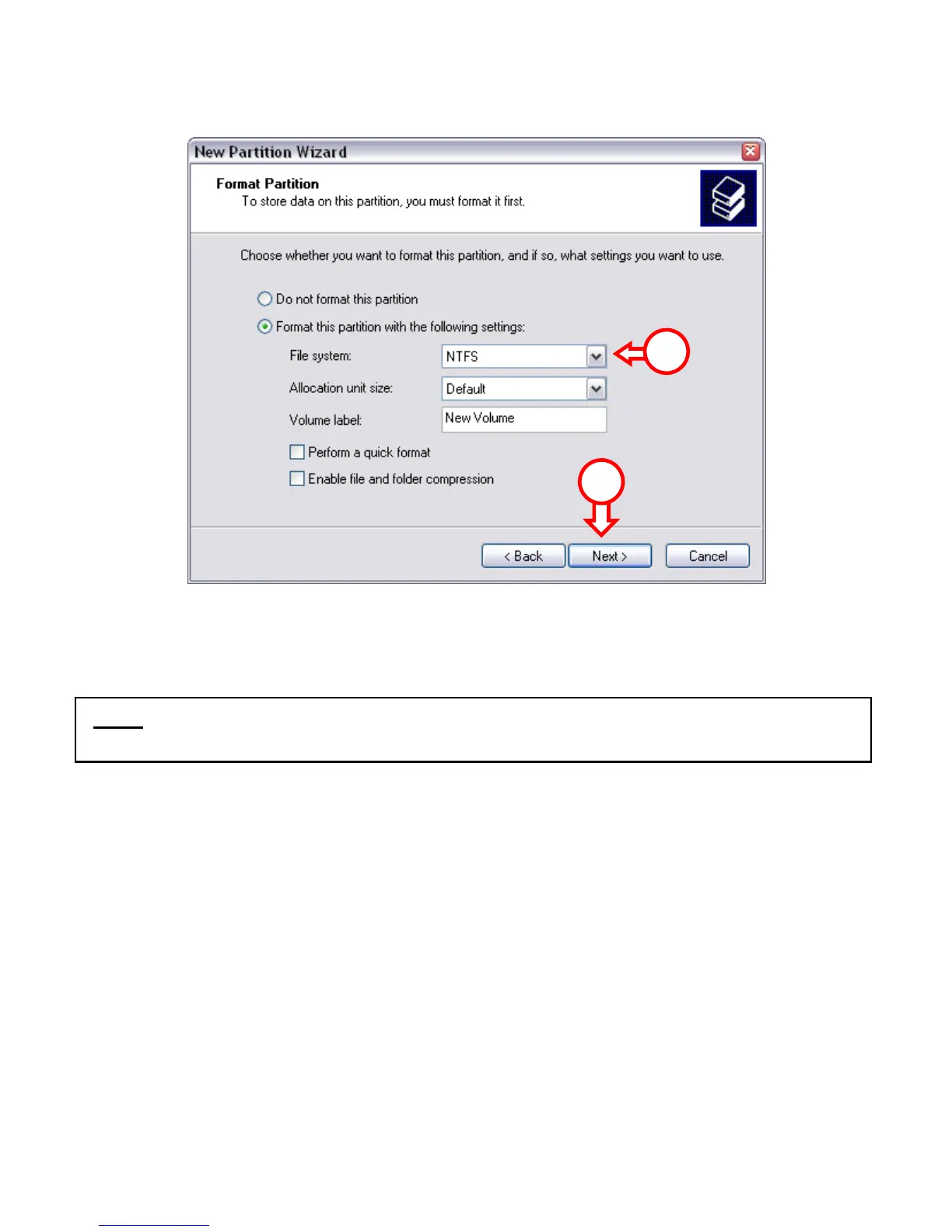
7. You can make different settings to format the hard disk. At “File System”, you
can choose between NTFS or FAT32. You can also assign a volume name for the
partition and choose for “Quick Format”. Click “Next” to continue.
8. You will see a summary of the selected commands. By selecting “Finish”, all
commands will be executed and your hard disk will be ready to use.
The hard disk built-in your CHD3SU is now ready for use.
7
7
Note: Partitions bigger than 32GB can only be formatted with the NTFS file system
when using Windows Disk Management!



 To Next Page