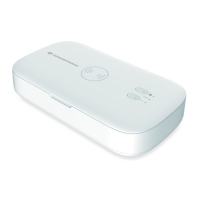
English
○
1
Aromatherapy indicator
○
2
Sterilizer indicator
○
3
Power Indicator
○
4
Aromatherapy button
○
5
Disinfection button
○
6
Aromatherapy inlet
○
7
UVC lights
○
8
Vanity mirror
○
9
Charging port
○
10
Wireless charging zone
Disinfection function
Connect the power supply, the indicator○
3
light up in blue.
Put the items into the disinfection box and lower the cover.
Press button○
5
to start sterilization. You will hear 1 beep and the
indicator○
2
will light up in blue. After 5 minutes, you will hear 2 beeps
and the indicator○
2
will turn to green. The sterilization process is
complete.
Aromatherapy function
Connect the power supply, the indicator○
3
light up in blue.
Drop essential oil into the aromatherapy inlet○
6
and press button○
4
to
get started. The indicator○
1
will light up in blue. It will stop working
automatically after 5 minutes, and the indicator○
1
will turn back to green.
Open the lid to release a burst of fragrance.


 To Next Page