English
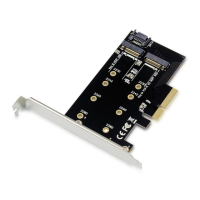
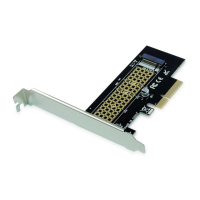
Installed the M.2 M Key SSD into the PCIe Adapter.
Turn Off the power to your computer.
Unplug the power cord and remove your computer’s cover.
Remove the slot bracket from an available PCIe slot.
To install the card, carefully align the card’s bus connector with the
selected PCIe slot on the motherboard. Push the board down firmly.
Replace the slot bracket’s holding screw to secure the card.
Replace the computer cover and reconnect the power cord.
Deutsch
Installation & Verwendung
M.2-M-Key-SSD im PCIe-Adapter installiert.
Unterbrechen Sie die Stromversorgung Ihres Computers vollständig.
Trennen Sie das Netzkabel und entfernen Sie die Abdeckung Ihres
Computers.
Entfernen Sie das Slotblech eines freien PCIe-Steckplatzes.
Zur Installation setzen Sie die Karte mit den Kontakten exakt auf den
gewünschten PCIe-Steckplatz auf dem Motherboard auf. Drücken Sie
die Karte fest nach unten.
Fixieren Sie die Karte mit einer Schraube an der Gehäuserückwand.
Setzen Sie die Abdeckung des Computers wieder auf und schließen
Sie das Netzkabelwieder an.


 To Next Page