EasyManua.ls Logo

CONCORD 107 - PLAYBACK AND AUXILIARY OPERATIONS; Playback and Rewind Steps; External Speaker and Remote Control; DISASSEMBLY GUIDELINES

CONCORD 107
8 pages
Print Icon
To Next Page IconTo Next Page
To Previous Page IconTo Previous Page
Loading...
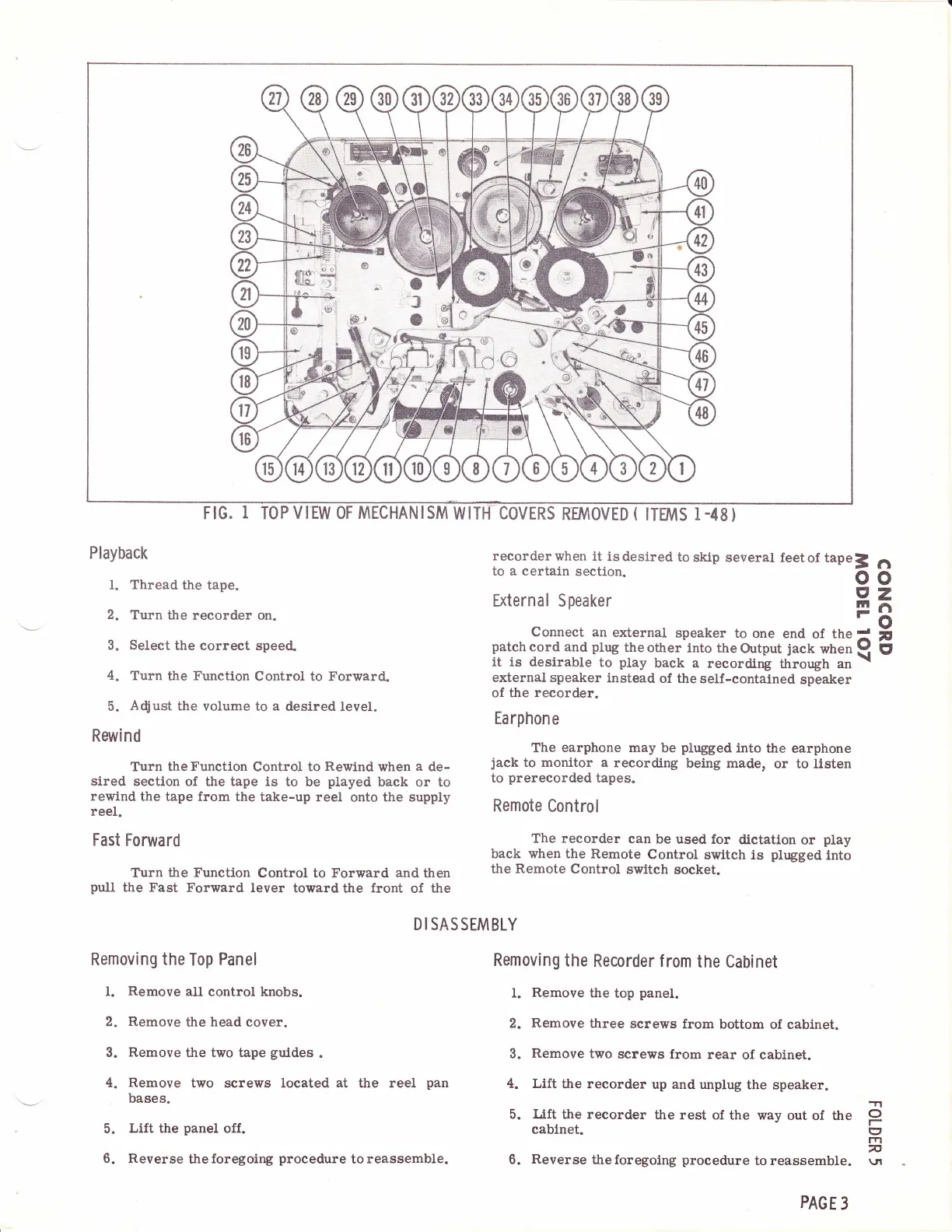
FIG.
I
TOPVIEW OF
MECHANISM
WITI{COVERS
RFJI/IOVED
(
ITEMS
I-48}
Playbaclr
l. Thread
the tape.
2.
Turn the
recorder on.
3. Select
the correct
speed.
4.
Turn
the
Function
Control to
Forward.
5.
A$ust
the volume
to
a
desired
level.
Rewind
Turn the
Function
Control
to
Rewind
when
a
de-
sired
section
of the tape is to
be
played
back or to
rewind
the tape from the
take-up reel
onto
the supply
reel.
Fast
Forward
Turn
the Function
Control to
Forward and
then
pull
the Fast
Forward
lever toward
the
front
of the
recorderwhen
it isdesired
to
skip
several
to
a
certain
section.
External Speaker
feetof
tapeJ
o
I
ln
F
fi
o
z
rl
o
v
E'
Connect
an
external
speaker to
one
end
of
the;!
patch
cord
and
plug
the
other
into the
Output
jack
when
!l
it is desirable
to
play
back a
recording
through an
\
external speaker
instead
of the self-contained
speaker
of the
recorder.
Earphone
The
earphone may
be
plugged
into
the earphone
iack
to
monitor a
recording
being made,
or to listen
to
prerecorded
tapes.
Remote
Control
The recorder
can
be used for
dlctatlon
or
play
back
when
the Remote
Control
switch is
plugged
into
the Remote
Control
switch
socket.
DISASSEMBLY
Removing the
Top
Panel
t.
Remove
all control knobs.
2. Remove
the
head
cover.
3.
Remove
the two tape
guldes
.
4. Remove
two screws
located
at
the reel
pan
bases.
Lift
the
panel
off.
Reverse
the
foregoing
procedure
to reassemble.
Removing
the
Recorder
f
rom
the
Cabinet
l.
Remove
the
top
panel.
2.
Remove
three
screws
from
bottom of cabinet.
3.
Remove
two
screws from
rear
of
cabinet.
4. Lift
the recorder
up and
unplug
the speaker.
5.
Lift
the
recorder
the rest
of the way
out
of
the
cablnet.
6.
Reverse
theforegoing
proeedure
to reassemble.
5.
6.
.?l
o
(:t
rt1
n
\JI
PAGE
3

Related product manuals