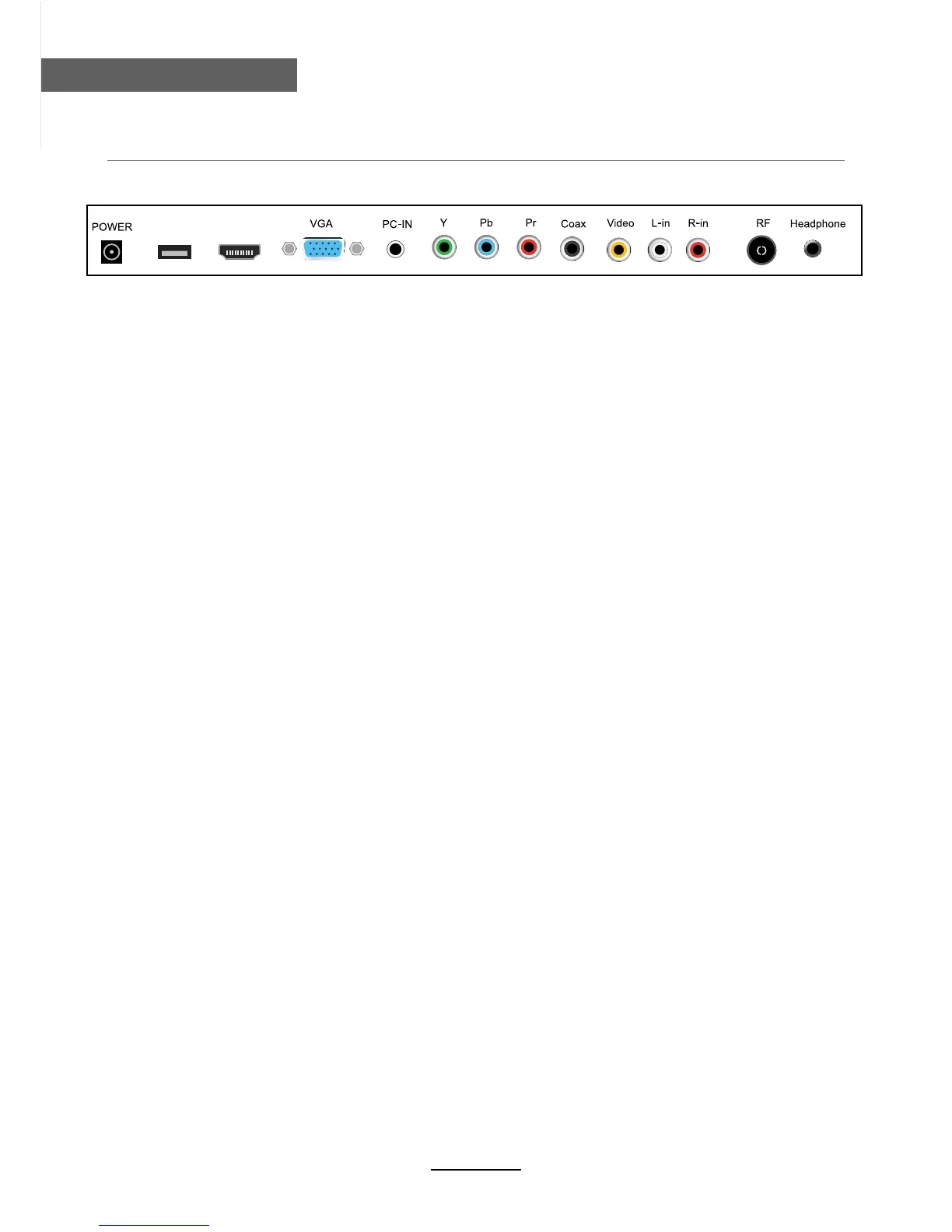
Connections
Connections
5
POWER: Connect to the mains adaptor.
USB:
HDMI: Connect it to the HDMI of DVD or other equipment.
PC-IN: Connect it to the audio output terminal of PC.
VGA: For PC display.Connect it to the D-Sub 15 pins analog output connector of the PC.
USB
HDMI
RF: Connect antenna or cable 75 Ohm coaxial to receive TV signal.
R/L in: Connect them to the audio output terminal of DVD.(shared with YPbPr)
VIDEO: Connect it to video output terminal of DVD.
YPbPr: Connect them to the YPbPr video output terminal of DVD.(used in component source)
Coax: Digital coaxial output.
Headphone: Connect it to your headphone or other audio equipment.
USB for PVR and media play .


 To Next Page