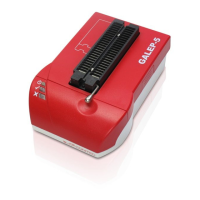
Button functions (GALEP
5D only)
GALEP-5D has a button on the front panel. This button can be used to trigger up to three functions with
OpenOCD. A function is an OpenOCD script that can contains the same commands that are also available on
the Telnet console.
The functions are triggered by pressing the the button for a certain time. The LED below the button indicates
the function. By releasing the button the function is started.
The functions are determined through button_assign statements. Example:
# interface
# ...
button_assign 1 btShort.script
button_assign 3 btLong.script
# ...
The scripts btLong.script und btShort.script are files containing commands. The console from which
OpenOCD was started, and the first Telnet connection (if any) to OpenOCD is used for the command output.
Button hit LED Button release
short Doesn't blink Function 1
long Blinks twice Function 2
very long Blinks 3x Function 3
OpenOCD Settings
ll furthe
statements in the config file are OpenOCD settings. Please refer to the OpenOCD documentation
for details.
Getting Started
s mentioned, OpenOCD runs on the programmer and thus has to be transferred before, together with the
config file. For this you can use any FTP client. After the following steps you can start with debugging:
1. Unpack the pre-compiled archive (g5ocd-bin-svn-xyz.tar.bz2) resp. the .zip version into any directory.
2. Add your config file (see above).
3. Transfer all data to GALEP-5.
4. Log in on GALEP-5 with a Telnet client.
5. Set the executable attribute for the program “openocd” and the script “ocd”. Only required when you're
working under Windows™, because attributes such as 'executable' can't be stored in ZIP archives or
sent with Windows™-based FTP clients.
6. Start OpenOCD via Telnet.
Connect the target system with GALEP-5
You can either order a socket connection cable from Conitec (OCD-JTAG-Cable20, part no. 095540) or put it
together yourself. The wiring corresponds to a standard ARM9 JTAG connector as used by other JTAG
debuggers. Because the assignment between socket pins and JTAG signals can be freely configured, you
can use any other cable as well.
Set up the connection
When GALEP-5 is started, but neither OpenOCD is running nor a connection to the PC Galep software is
established, all pins of the socket have high resitance. In this state you can connect the unpowered target
system with GALEP-5. !! The target system must not be connected to a power supply when connecting it
with GALEP. Also, GALEP must not be connected with the Galep PC software!
fter connecting, the target system can be switched on. If the GALEP socket is used as a power supply, the
target is switched on by starting the OpenOCD Software. The following figure illustrates the connection
between GALEP-5 and the ARM & EVA Linux board.


 To Next Page
 Loading...