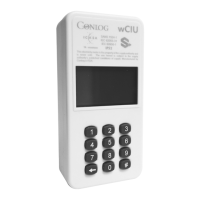
wCIU
Installation guide
We see a world
where we can
all achieve more
using less
We help utilities
maximise their
service delivery
Our products,
solutions and
services are simple,
efficient and
innovative
Display messages
Tel: +27 (31) 268-1111 Email: info@conlog.com Web: www.conlog.com
No credit: a credit token is required to connect the supply
Meter commissioned: no further action required
Signal: press
to display signal strength
Technical tamper: check the terminal cover is fitted
securely. A clear tamper token will be required
Credit token
Commissioning status
Tamper status
Signal strength
Abnormal trip conditions
# 0
7
5
#
# 0
3
1
#
# 0
4
3
#
Press to see if meter is commissioned
Meter not commissioned: press
1275 4194 1448 6450 5970or enter
Conlog shall not be liable for any consequential loss of whatever nature and howsoever arising including, but not limited to, loss arising from any
defect in the product sold which is covered by Conlog’s warranty, or from negligence on the part of Conlog, its directors, employees or agents.
c
Conlog (Pty) Ltd Reg. No. 1982/011895/07
Part Number: 700097701000
Flashing bar graph: press to display the trip
condition
Power overload
Thermal overload Over voltage Under voltage
Current overload
# 0
7
3
#
Line/load reversal

 To Next Page

 General