EN
3
USER MANUAL
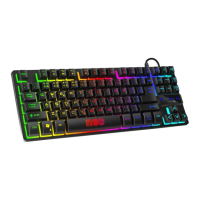
COMPACT GAMING KEYBOARD
CKB-3589-CS
CONNECT IT® is a registered trade mark R202009-IM
3
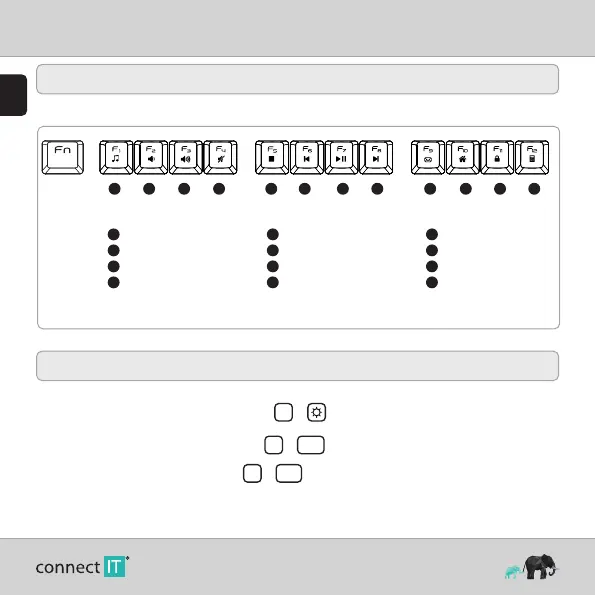
Multimedia Functions
Activate multimedia functions with key shortcuts in combination with the Fn key.
1 2 3 4 5 6 7 8 9 10 11 12
1
Music player
2
Volume (-)
3
Volume (+)
4
Mute sound
5
Stop
6
Previous track
7
Play/Pause
8
Next track
9
E-mail client
10
Internet browser homepage
11
Lock the keyboard
12
Calculator
+
4
Changing the Backlight Colour
The keyboard has 2 colored backlight options: Static, Breathing
To switch between these modes, use the keyboard shortcut Fn +
To increase the intensity of the backlight in 3 steps, press Fn + PgUp
To decrease the backlight intensity in 3 steps, press Fn + PgDn
(The fourth press turns the backlight off completely.)


 To Next Page