If you not using the optional lifter and have toggled the right hand switch on the back of the
base to the right, you headset should turn on automatically when taken out of the charger.
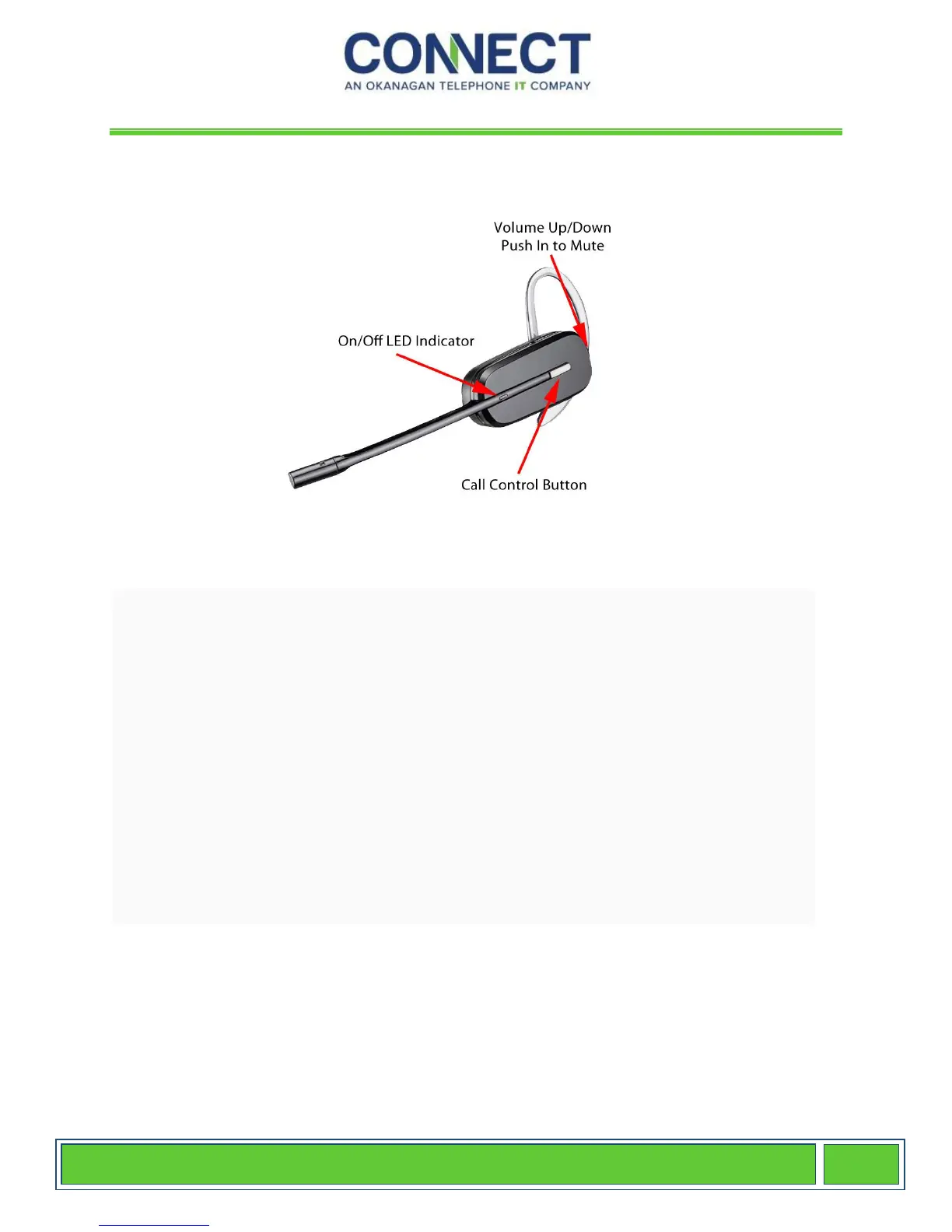
The Call Control Button is how you answer and hang up from calls when using the HL10
Handset Lifter or EHS Cable to answer/hang-up calls remotely while away from your
desk. When the headset is in use, the LED indicator light will flash white.
The second button (or rocker switch) is located at the back of the headset and controls your
speaker volume. When pushed up, it raises your speaker volume, and pushed down
decreases the volume. You have 3 levels, so continue pressing for increased or decreased
volume levels. The second button (or rocker switch) also acts as your microphone mute
button when pushed in. You will hear three high tone beeps indicating the microphone is
muted and the LED light on the base will turn solid red. Pushing the button in again will
deactivate the mute feature allowing your caller to hear you again.


 To Next Page
 Loading...