
 To Next Page
D
David HendrixAug 5, 2025
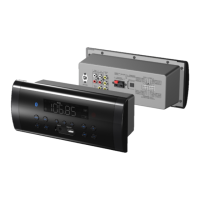
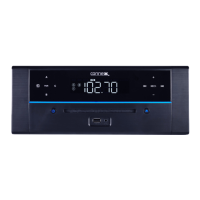
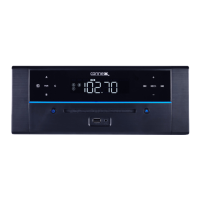
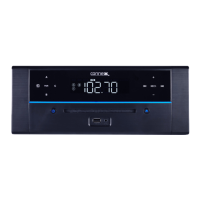
What to do if my connexx DVD Player remote is not working?
- TTaylor ReedAug 5, 2025
If your connexx DVD Player's remote is not working, the batteries may be depleted. Try replacing them with new ones.

What to do if my connexx DVD Player remote is not working?
If your connexx DVD Player's remote is not working, the batteries may be depleted. Try replacing them with new ones.
What to do if Bluetooth is not working on my connexx WMS-DVDZ3-SB DVD Player?
If your connexx DVD Player is failing to connect via Bluetooth, here are a couple of things to check: * The external device might be too far away. Try moving the Bluetooth device closer to the unit. * The devices may not be paired. Make sure to pair both units.
Why is there no sound coming from my connexx DVD Player?
If your connexx DVD Player is not producing any sound, there might be several reasons: 1. The volume could be set to the minimum. To fix this, simply raise the volume by pressing the VOL (Volume) + button. 2. The connected device might not be playing. Ensure that the music or movie is playing on the connected device and that its volume is at an audible level. 3. The input source could be incorrect. Press the button repeatedly to select the correct input source.
How to fix sound distortion on connexx WMS-DVDZ3-SB DVD Player?
If you are experiencing sound distortion with your connexx DVD Player, it could be due to: 1. The bass level of the connected device being too high. Try reducing the bass level on that device. 2. The volume level being too high. Reduce the volume by pressing the VOL (Volume) - button.
Why does my connexx WMS-DVDZ3-SB have no power?
If your connexx DVD Player has no power, check if the power cable is properly connected and whether the fuse is blown. Check the fuse and the 12V connection.
Details playable disc formats, disc structure (titles, chapters), and audio CD tracks.
Explains copyright protection, region coding, and compatibility issues for DVD discs.
Provides recommendations for placing the media center to ensure proper ventilation and prevent overheating.
Specifies the rough opening cut-out dimensions required for mounting the WMS-DVDZ3 and WMS-DVD-SB units.
Explains how to connect and use an optional external remote sensor for extended control.
Guide on how to search for, store, and recall FM radio stations using unit controls or remote.
Tips for improving FM radio reception by adjusting the antenna wire or unit placement.
Proper handling and cleaning methods to prevent damage to discs.
Instructions for safely cleaning the exterior finish and front panel of the media center.
 General
| Brand | Connexx |
|---|---|
| Model | WMS-DVDZ3-SB |
| Category | DVD Player |
| USB Port | Yes |
| Progressive Scan | Yes |
| Remote Control | Yes |
| Supported Disc Formats | DVD, CD |
| Audio Output | Stereo |
| Video Output | Composite, Component |