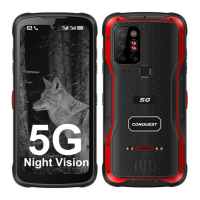
Quick restart oen solves minor issues with phone.Or the right side of the phone you will nd a
power buon.Restart the phone using that buon.
Magnec charger/Dock charger not working
Check the charger and the contact posion for any signs of dirt or oxidaon.A quick wipe with
coon swab and alcohol should solve the issue.
Abnormal power consumpon
First, you should try to dim the screen brightness and turn o the GPS, WiFi and Bluetooth if you
are not using them. Addionally, you should check your Baery Usage in your phone Sengs
and see which apps are using more baery. You can close or disable the ones that are draining
more baery if you usually do not need them.
Unable to register the SIM card
If aer proper installaon of SIM card the phone doesn't recognize the network try switching the
ight mode on-and-o or try restarng the phone.lf the issue sll persists clean the chip with
alcohol and coon swap.
MicroSD card does not work
Your microSD probably has errors and your phone is not recognizing that card. Try to connect a
card reader to your PC and format the microSO card at least two mes. Restart your mobile
phone and insert the SD card again.
Mobile network not registering internet access
Go to sengs-Network&internet-Mobile network-Mobile data-switch it on. Or slide the screen
to shortcut menu-click the signal icon on upper right corner of the mobile data network- switch
it on.
Restore to factory seng
Please note factory reset will erase all the data from the phone,so make sure you take the backup
of data before you do a factory reset. Open sengs-System-Advanced-Reset opons-Erase all
data (factory reset).


 To Previous Page
 Loading...