
 Need help?
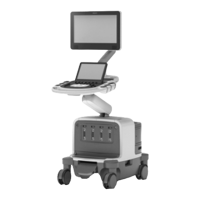
Do you have a question about the CONQUEST Philips EPIQ 5/7 and is the answer not in the manual?
Lists available ultrasound training courses offered by Conquest Imaging.
Explains components that receive acoustic reflections and perform signal processing for image creation.
Details system blocks on the user interface side, including controller, signal processing, and memory.
Covers system power modes, sequences, and distribution components, including VPPM and PRB.
Explains the Digital Imaging and Communications in Medicine standard and its application areas for medical imaging.
Provides information for configuring system network settings, including DNS and IP addresses.
Details the procedure for installing wireless network adapters on SuperMicro and BCM motherboards.
Outlines standard procedures for setting up Ethernet or wireless network connections and system connectivity.
Covers setup and configuration of DICOM servers, printers, and media devices for data transfer.
Manages settings for data export quality, including compression, structured reports, native data, and 3D data.
Explains the importance and procedures for backing up system data, settings, and licenses.
Describes how to restore customized settings from removable media or revert to factory default settings.
Details tests to verify system hardware and firmware operation after installation, repair, or maintenance.
Provides procedures for cleaning system filters to ensure proper airflow and prevent overheating.
Covers recommended intervals and procedures for caster maintenance and system mobility.
Guides on cleaning monitor, touch screen, and external surfaces using appropriate materials.
Explains the procedure for calibrating the touch screen for optimal performance and accuracy.
Outlines the inspection and cleaning process for the system trackball for smooth operation.
Details electrical safety warnings and precautions for operating and maintaining the ultrasound system.
Discusses potential sources of EMI and measures to reduce interference with ultrasound image quality.
Covers precautions to prevent damage from electrostatic discharge to system components and transducers.
Provides general fire safety practices relevant to electrical equipment operation and emergency procedures.
Guides on diagnosing and resolving issues related to system power-up, start-up, and operational failures.
Explains the function of various LEDs on circuit boards for troubleshooting power status and operational indicators.
Shows LED indicators on the Power Regulator Board for normal system functioning and troubleshooting.
Details LED indicators on the acquisition control board for monitoring power status and logic voltages.
Describes how to disconnect the control panel to diagnose backend or cable issues affecting system operation.
Emphasizes following safety procedures and warnings documented in the user manual during parts replacement.
Details the correct procedure for powering down the system and disconnecting power before maintenance or repairs.
Provides instructions on how to open the E-Module to access internal components and boards.
Guides on replacing the motherboard battery for BIOS and system clock power and potential BIOS reset.
Explains how to access and change BIOS settings, including restoring defaults and saving configurations.
Outlines procedures to perform after replacing video modules or graphics cards, including display assignment.
Details manual adjustments for the control panel arm articulation, height, and rotation.
Guides on adjusting monitor articulation arm buoyancy and swivel knuckle tension for user comfort.
Provides definitions for technical terms used throughout the manual for better understanding.
Lists and defines common acronyms used in the document for reference.
Lists BIOS settings for SuperMicro and BCM motherboards used in EPIQ systems for proper boot configuration.
Provides a worksheet to gather information necessary for configuring the system's network connections.
 General
| Brand | CONQUEST |
|---|---|
| Model | Philips EPIQ 5/7 |
| Category | Medical Equipment |
| Language | English |

 To Next Page