I II
2
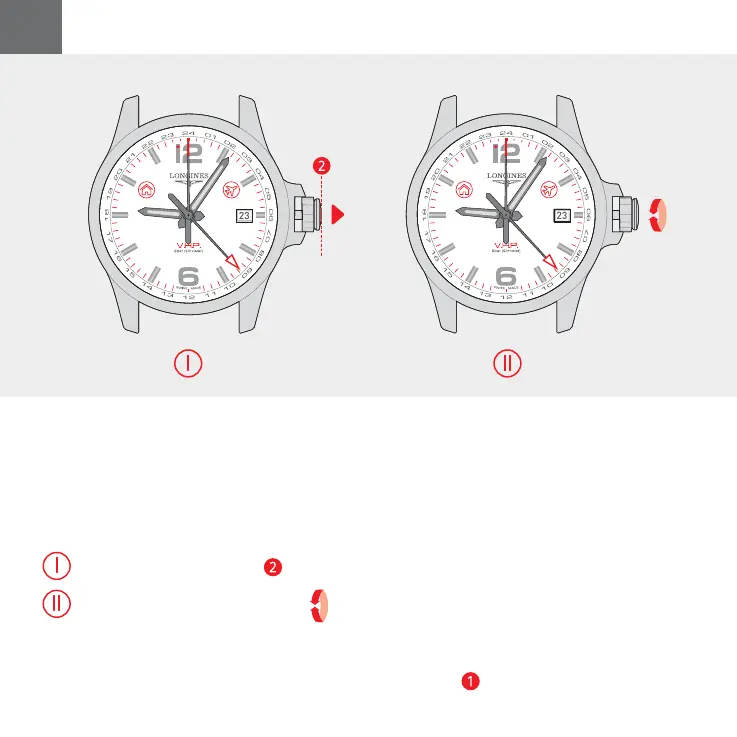
Once the time mode is selected ( Home
Time or Travel Time), proceed as follows
to set the time manually:
Pull the crown into position
2
.
Rotate the crown to set the time.
1RWH7UDYHO7LPHDGMXVWVLWVHOIE\
increments of 15 minutes.
A LONG SLOW ROTATION OF THE CROWN
sets the time minute by minute; the second
hand moves automatically to 12 o’clock.
A SHORT QUICK ROTATION OF THE CROWN
sets the time hour by hour; the minute hand
makes a cycle to move forwards or backwards
one hour.
After setting the time, push the crown back
into position
1
.
SETTING THE TIME MANUALLY
I
II
028 – CONQUEST V.H.P. GMT – SETTING THE TIME MANUALLYEN



 To Next Page