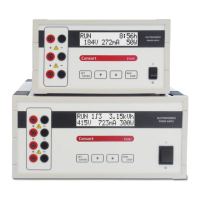
EV2xx èwww.consort.be 9 /30
Temporarily changing parameters
Only the parameters of the running step can be changed. A gradient step
can never be changed.
1. Press SET to change temporarily the parameters without interrupting
the run.
2. Change the actual voltage limit and press SET.
3. Change the actual current limit and press SET.
4. Change the actual power limit, and press SET.
5. Change the actual time and press SET.
6. The power supply will now continue the run.
• Temporarily changed parameters are not been kept in memory!
• The instrument will automatically return to the run mode when no
button has been pressed during 10 seconds.
Manual programming
Manual programming permits to set voltage, current, power and time
limits for a simple routine electrophoresis run. Parameters can be
changed temporarily without interrupting the run.
1. Verify if the instrument is switched off.
2. Connect the electrophoresis tank to the instrument.
3. Switch the instrument on.
4. Select the MANUAL mode and press SET.
5. Enter the desired voltage limit and press SET.
6. Enter the desired current limit and press SET.
7. Enter the desired power limit and press SET.
8. Enter the desired time-units (hours or kilovolthours) and press SET.
9. Enter the desired time and press SET (pre-set to [--:--] if no timing
is required).
10. Press RUN to start the experiment.
• At any time, you can return in the stand-by mode by holding SET
pressed during 2 seconds.
• At any time, you can avoid programming unnecessary parameters.
To do so, simply press RUN instead of SET after entering the last
relevant value and the instrument will immediately start the exper-
iment keeping the other parameters to their previous values.
• To ensure that the desired parameter is kept constant, we suggest
to pre-set all other parameters to maximum.
• A blinking unit of the controlling parameter appears when the regu-
lation is complete.
• The timer will always count down. However, when no time limit has
been programmed it will count up.
• If the timer is still running after switching on, the power supply will
automatically proceed with the experiment for the remaining time.
Press STOP if you want to go in stand-by during the run.
---- STAND-BY ----
MANUAL
ENTER
CURRENT: 300mA
ENTER
POWER: 50W
ENTER
TIME UNIT: h
ENTER
TIME: 99:59h
ENTER
VOLTAGE: 400V
SET 1
∫
1 99:59h
400 300mA 50W
RUN 99:59h
400V 300mA 50W
SET 1
∫
1 99:59h
400V 300 50W
SET 1
∫
1 99:59h
400V 300mA 50
SET 1
∫
1 99:59
400V 300mA 50W


 To Next Page
 Loading...