76
fig. 7
fig. 10
NOTE:
1. Do not place this unit on a shelf
or where it will not receive
adequate ventilation as this will
cause a hazard.
2. If the unit is plugged into the
mains or an extension lead
always ensure you have easy
access to unplug the unit
should a hazard occur.
OPERATION OF CLOCK OPERATION OF ALARM
Setting the time
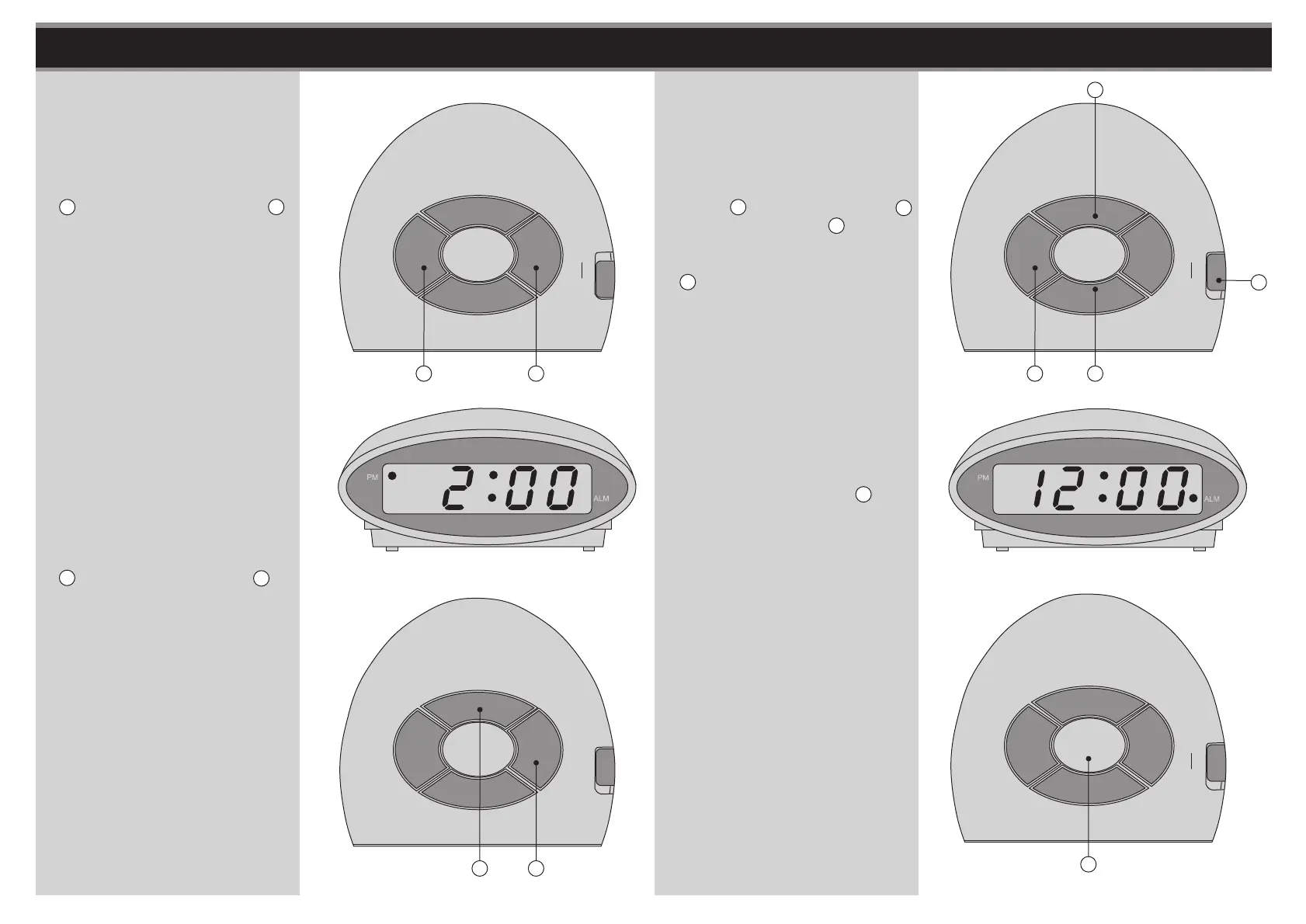
1. Press and hold the Time Set Button
E and press Hour Set Button B
together to set or advance the hour.
A dot will appear in the top left
corner when the time is PM, and
disappear when AM.
See fig. 6 and 7.
2. Press and hold the Time Set Button
E and press Minute Button C
together to set or advance the
minutes.
See fig. 8.
fig. 6
EB
fig. 8
EC
fig. 9
FB
ON
ALM
OFF
ON
ALM
OFF
Snooze Function
1. When you want a few extra
minutes of sleep after the alarm
wakes you, touch the Touch
Sensitive Snooze Button D. The
alarm will turn off and come back
on again in 9 minutes. You may
repeat this operation as often as
you like within a period of 1 hour
59 minutes after the pre-set alarm
time.
See fig. 11.
Setting the Alarm
1. Press and hold the Alarm Set
Button F and Hour Set Button B
or Minute Set Button C together
to set or advance the alarm time.
Then slide the Alarm On/Off Switch
G to "ON" (the alarm indicator dot
will appear at the bottom of right
corner of the LED Display).
See fig. 9 and 10.
fig. 11
D
ON
ALM
OFF
G
C


 To Next Page