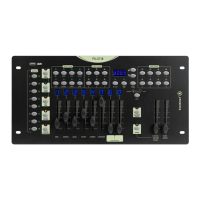
PILOT-8 - 8-channel intelligent DMX controller
Page 9
English
3.3 - Erasing user colours
3.4 - Saving sequences (chases)
1 - Press the RECORD button to switch to program mode. The display indicates LOCK. To unlock the
program mode, press 6 times the PROJECTOR SELECTOR button no. 6.
2 - Choose one of the 4 banks containing the colour you want to erase with the UP and DOWN buttons.
3 - Simultaneously press the DELETE/CLEAR and the button refering to the colour you want to erase.
4 - All the LEDs will flash to confirm your choice and the LED of the colour you erase will light off.
5 - Repeat steps 2 to 4 to erase more colours.
6 - Press the RECORD button for more than 3 seconds to leave the programmation mode.
1 - Press the RECORD button to switch to program mode. The display indicates LOCK. To unlock the
program mode, press 6 times the PROJECTOR SELECTOR button no. 6.
2 - use one of SAVED CHASES the buttons to select a sequence (chaser). Buttons for which a
sequence as already been saved will flash. The LED corresponding the sequence you are about to
modify will light up.
3 - Use the PROJECTOR SELECTOR buttons to select the projector for which you want to save your
sequence.
4 - Create a colour via the faders or use one of the user colours.
Note : You cannot insert a preset colour into your sequence.
5 - Press the RECORD button, all the LEDs will flash to indicate that the step has been added to your
sequence.
Note : The display will indicate nuLL and no step will be added to the sequence if no user colour has
been used and all faders are set on 0.
6 - Repeat steps 3 to 5 to add more steps to your sequence. You can add up to 32 steps per sequence.
The display will indicate FuLL when a sequence has reached its maximum number of steps.
7 - You can then select another sequence and add more steps.
8 - Press the RECORD button for more than 3 seconds to leave the programmation mode.


 To Next Page
 Loading...