Need help?
Do you have a question about the Contour Design RollerMouse Free2 and is the answer not in the manual?
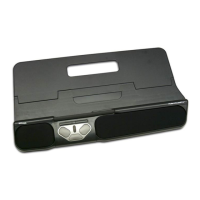
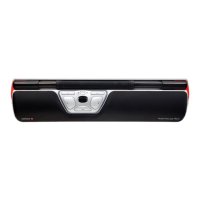
Controls cursor movement and allows clicking via the rollerbar.
Plug your RollerMouse Free2 into your computer's USB port for automatic installation.
Use keyboard risers to achieve optimal ergonomic working position.
Adjust click-force tension slider under the device for preferred sensitivity.
Place device away, keep keyboard low, forearms flat, and wrists neutral.
Correct placement leads to relaxed elbows, shoulders, and improved efficiency.
 General
| Brand | Contour Design |
|---|---|
| Model | RollerMouse Free2 |
| Type | RollerMouse |
| Device Type | Mouse |
| Ergonomic | Yes |
| Connectivity | Wired |
| Interface | USB |
| Buttons | 5 |
| Scroll Wheel | Yes |
| Hand Orientation | Ambidextrous |
| Color | Black |
| Compatibility | Windows, Mac |


 To Next Page