Balance Keyboard - REV 2.0
/6
Keyboard Shortcuts - Pairing Mode Keyboard Shortcuts - Function
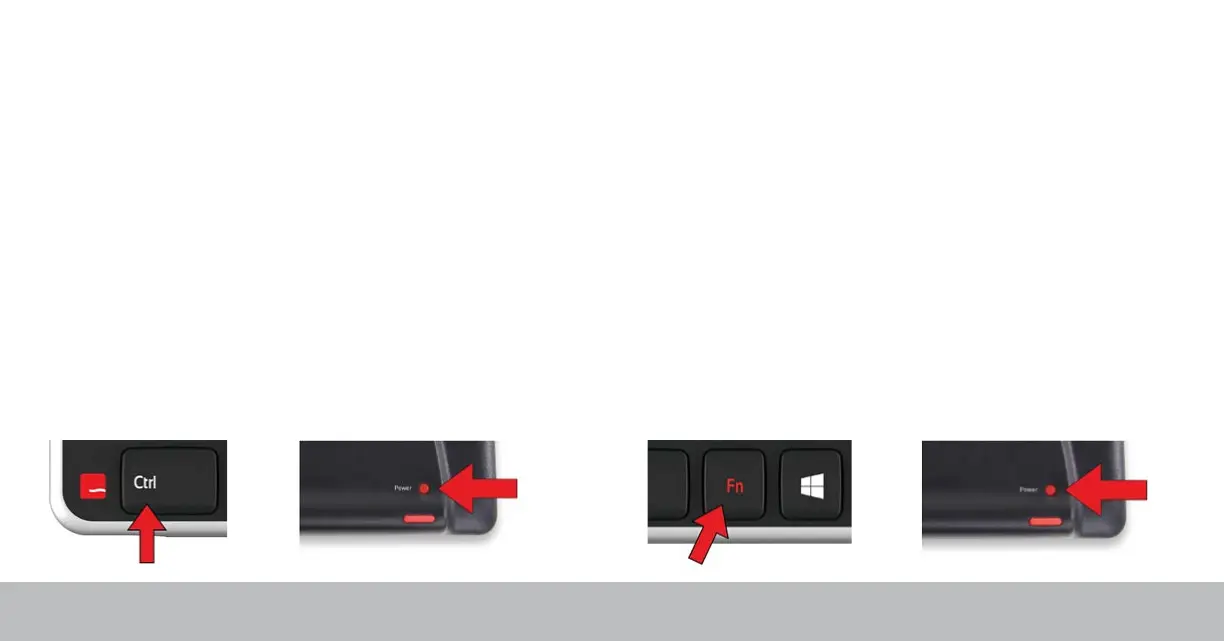
Ctrl + Power buttons starts pairing mode and clears any existing dongle
connections.
Balance Keyboard comes with a dongle that has already been paried. If for
any reason your Balance Keyboard and dongle become unpaird, use the
following instructions to pair your Balance Keyboard to its dongle again.
Hold Control and press Power once to pair keyboard and dongle.
Note: Please hold the Power button as close to the wireless receiver as
possible during pairing.
Fn + Power buttons toggles between function mode (F1-F12) and media
mode as the default setting.
By default, Balance Keyboard comes with function mode set to OFF.
To activate function mode, press the Fn key.
To change the default setting of function mode to ON, press and hold Fn
and press the Powet button once.


 To Next Page