4
Record
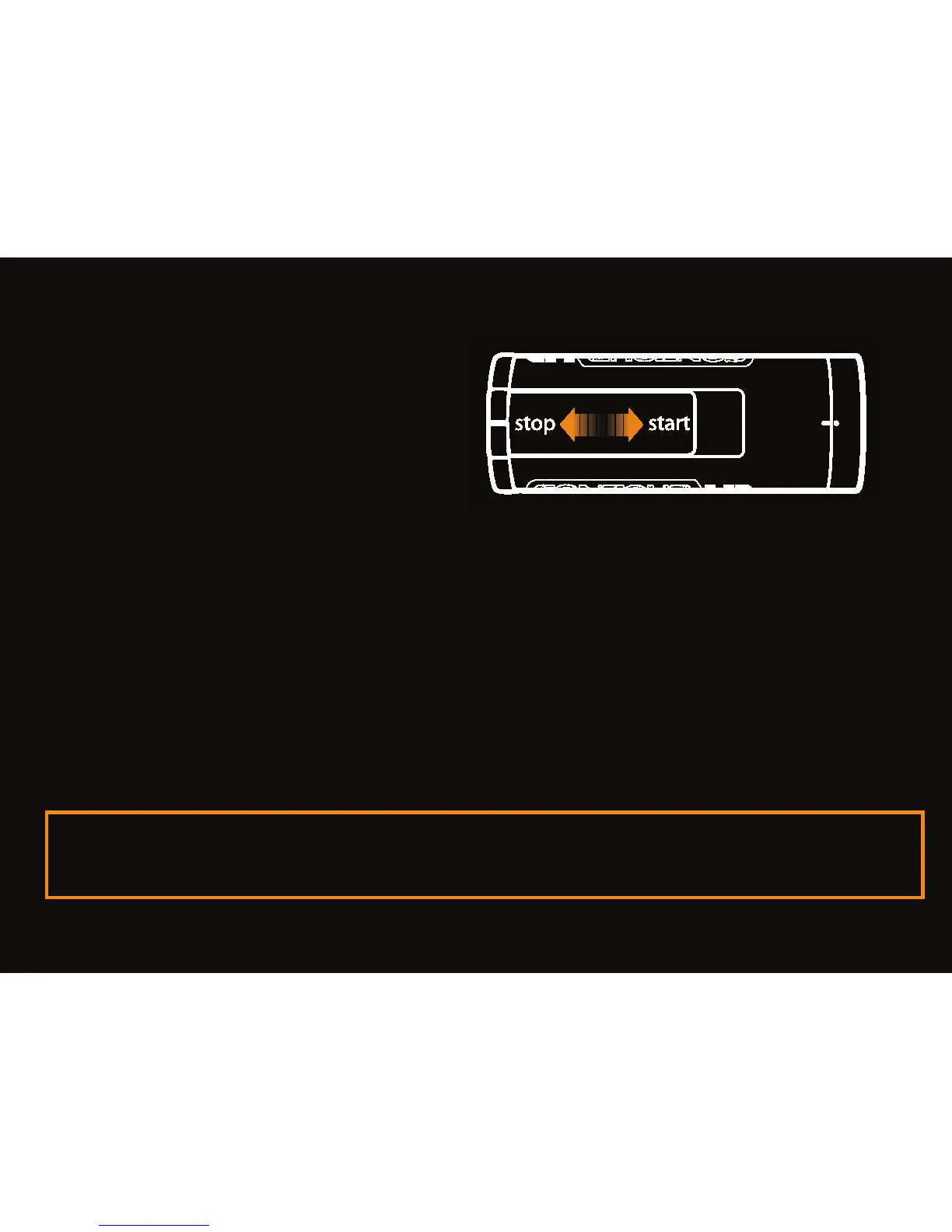
• Start: slide switch forward.
• Stop: slide switch back.
• Congrats, your fi rst video!
Share
• Install Easy Edit Software directly from MicroSD card provided or
download at: www.VholdR.com/support/software.
• Connect camera to computer with USB cable.
• Set date and time on your camera using the Easy Edit Software
• Then import, clip and share your videos…
Note: HD is beautiful but some computers cannot play smooth HD video. Visit
www.vholdr.com/support for the latest information on computer requirements.
ContourHD1080p



 To Next Page