EasyManua.ls Logo

Control 4 Zigbee IO C4-Z2IO - User Manual

Control 4 Zigbee IO C4-Z2IO
7 pages
To Next Page IconTo Next Page
Loading...
11
Package contents
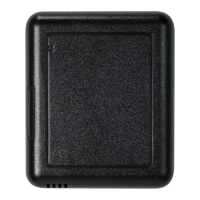
C-ZIO Zigbee IO
Four wall mounting screws
Four plastic dry wall anchors
Two IR emitters
Micro USB power supply
Requirements
Composer Pro 2.10.0 or higher
Features
Create a stronger, wider, and more robust Zigbee mesh network than
ever before using the Zigbee IO. Eliminate any network “dead spots” by
increasing the reach and density of your Zigbee mesh. Improve Zigbee
signal latency and provide your customers with higher reliability and
responsiveness as they use the devices connected to their Zigbee mesh
network.
The Zigbee IO (Z2IO) is a single device that combines the features of:
Remote relays (up to two)
Remote contact sensors (up to four)
Remote thermistors (two)
Internal contact (internal magnetic reed switch)
Zigbee-to-IR converters
Any of these inputs can be used to trigger and control automated
events—such as sending an e-mail or turning on a cabinet light when its
door is opened—throughout the Control4 system.
With this device, you can reduce the need to run control wires over long
distances (or where you can’t run any wires at all).
As Zigbee to IR
The two 3.5 mm IR ports allow you to connect up to two standard IR
emitters to control any IR-controlled devices, such as TVs, DVRs, and
receivers.
When connecting IR emitters, make note of which port each emitter is
connected to (labeled “1” and “2”).
IR codes sent from the controller to the Zigbee IO are cached at the
device, resulting in faster IR control response times.
Micro USB IR 1 IR 2
Note: Y IR cables can be used, or IR cables can be spliced
together (in parallel, not in series), to increase the number
of controlled devices. Be aware that these connected
emitters cannot be controlled independently but will all fire
simultaneously from the shared IR port. Test to verify that
there is no crossover code functionality between devices
sharing the same IR port to avoid unwanted side eects.
As a contact and relay
The device has an internal contact along one edge that can be used to
detect open or closed states when installed with a mounted magnet. Up
to four contacts (besides the internal contact) or two additional relays,
or a combination of the two, can be used. Each option is outlined below
in “Contact and Relay Wiring Options,” and after it’s physically wired,
the correct option must be set on the Properties tab as outline further
below in the section “IO Options.
As a relay
As a relay, this device provides wireless control of garage door
openers, window coverings, fireplaces, and pumps (along with other
relay control applications) inside or outside the home. It integrates
into Control4 systems as standard relays that can be opened, closed,
toggled, or pulsed.
The relay enables wireless control of any device controllable by one
or two low-voltage SPST relays or one simulated SPDT relay. These
functions appear in a Control4 system as relay outputs (relays) in
Composer Pro.
SPST
(single pole single throw)
(single pole double throw)
SPDT
(double pole single throw)
DPST
Zigbee IO
Installation Guide
Question and Answer IconNeed help?

Do you have a question about the Control 4 Zigbee IO C4-Z2IO and is the answer not in the manual?

Control 4 Zigbee IO C4-Z2IO Specifications

General IconGeneral
BrandControl 4
ModelZigbee IO C4-Z2IO
CategoryI/O Systems
LanguageEnglish

Summary

Zigbee IO Features and Capabilities

Package Contents

Lists all items included in the Zigbee IO package.

System Requirements

Specifies the minimum Composer Pro version needed for operation.

Core Network and Device Features

Highlights the device's ability to create robust Zigbee mesh networks and its combined functionalities.

Zigbee to IR Conversion

Details the device's function for controlling IR devices like TVs and DVRs.

Contact and Relay Functionality

Explains the combined use of contact sensors and relays for automation.

Relay Control Applications

Describes how the relay can control various home devices like garage doors and window coverings.

Contact Sensor and Environmental Monitoring

Contact Sensor Capabilities

Describes wireless monitoring of external contacts like garage doors and windows.

Internal Contact Sensor

Details the internal magnetic reed switch and its usage with a magnet.

Contact and Relay Wiring Options

Outlines five distinct wiring configurations for contacts and relays.

Thermistor and Humidistat Functionality

Explains the integrated temperature and humidity sensing capabilities.

Environmental Monitoring Notes

Provides important notes regarding environmental sensor data and integration.

Critical Safety Instructions

Lists essential safety precautions for installation and use to prevent damage or injury.

Device Specifications and Installation Overview

Technical Specifications

Lists detailed technical parameters including model numbers, requirements, and connectivity.

Installation Location Guidance

Provides advice on selecting an optimal location for the device for best performance.

Device Disassembly

Instructions for separating the device cover from its mounting tray.

Mounting Tray Positioning

Guidance on positioning the device's mounting tray on a wall or flat surface.

Internal Contact Positioning

Advice on positioning for the internal contact with an external magnet.

Marking and Drilling Mounting Holes

Steps for marking and drilling holes for wall mounting the device.

Wiring and Configuration Steps

Wire Routing and Terminal Connection

Guides routing wires from the wall through the tray to the terminal block.

Alternate DC Power Connection

Details how to connect an alternate DC or AC power source to the device.

Cover Attachment

Instructions for securely attaching the device cover to the tray assembly.

IR Emitter Connection

Instructions for connecting IR emitters to the device's two IR ports.

Driver Configuration Basics

Introduces static/dynamic connections and initial configuration steps in Composer Pro.

Relay Power Up State Configuration

Setting the desired power-up state for the relays upon device reboot.

Programming and Device Properties

Programming Event Triggers

Lists events like Online, Offline, and Reboot that can be used for programming.

General Device Properties

Details properties like Log Level, Status, Firmware Version, and LED Mode.

Humidity Measurement Properties

Covers Local Humidity and Offset for humidity reporting accuracy.

Temperature Measurement Properties

Details Local/Remote Temperature and Offset properties for calibration.

Input;Output (IO) Configuration

Explains the IO Options property for assigning device input/output pins.

Contact Sensor Status Properties

Displays the read-only status of internal and external contacts.

Relay Control and Troubleshooting

Relay Status and Power Up Properties

Manages relay status and power-up state settings for selected IO options.

Accessing Device Information and Actions

Describes using the Actions tab for diagnostics and forcing relay actions.

Troubleshooting Common Issues

Provides steps for resolving device malfunctions, including rebooting and factory resets.

LED Diagnostics Indicators

Explains the meaning of various LED status lights during identification and operation.

Button Press Sequences

Lists device functions and the corresponding button press counts.

Previous Firmware Version Restoration

Guides the process of reverting the device to an earlier firmware version.

Wiring Examples and Resources

Sample Wiring Configuration 1

Illustrates wiring for two independent SPST relays (Option 1).

Sample Wiring Configuration 2

Shows wiring for four contacts and an optional external thermistor (Option 2).

Additional Support Resources

Lists resources like Tech Community, Support, and documentation links for further help.

Warranty and Legal Information

Provides details on the product's 2-Year Limited Warranty and legal notices.