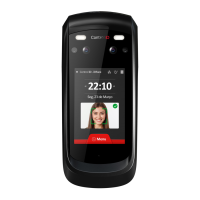
Quick Guide iDFace Max Version 1.1 Control iD 2024 ©
information as desired and connect the device to the
network.
Configuration Web Interface
First, connect the device directly to a PC using a
network cable (cross or point-to-point). Then, set a
static IP on your machine in the 192.168.0.xxx
network (where xxx is different from 129 to avoid an
IP conflict) with a subnet mask of 255.255.255.0.
web browser and enter the URL:
http://192.168.0.129
The login screen will appear. By default, the access
credentials are:
• Username: admin
• Password: admin
Through the web interface, you can change the
device's IP address. If you change this parameter, be
sure to write down the new value so you can
reconnect to the device.
User Registration and Identification
The effective operation of the facial recognition
system is directly related to the quality of the image
captured by the iDFace Max during the registration
phase. Therefore, during this process, ensure that
the face is aligned with the camera at a distance of
50 cm. Avoid atypical facial expressions and objects
that may obscure important areas of the face (such
as masks, sunglasses, and others). Keep in mind that
the photo should be taken as in a personal
document.
For the identification process, position yourself in
iDFace Max, and wait for the access granted or
denied indication on the device.
Avoid using objects that can block the capture of
the eyes.
It is recommended that the distance between the
device and the user (with a height of 1.45-1.80 m) be
between 0.5 and 1.5 m. Ensure that you are
Types of Locks
The iDFace Max, through a relay in the External
Activation Module (EAM) of up to 30V and 5A, is
compatible with virtually all types of locks available
on the market.
Electromagnetic Lock
The electromagnetic lock, or Magnetic Lock,
consists of a coil (fixed part) and a metal piece
(armature) that is attached to the door
(moving part). As long as current flows
through the electromagnet, the fixed part will
attract the moving part. When the distance
between these two parts is small, i.e., when
the door is closed and the armature is aligned
with the fixed part, the attractive force
between them can exceed 1000 kgf.
Thus, the electromagnetic lock is typically
connected to the NC contact of the relay, as we
usually expect current to pass through the
electromagnetic. If we want the door to be
opened, the relay must open and interrupt the
current flow.
In this guide, the electromagnetic lock will be
represented by:
Solenoid Pin Lock
The solenoid pin lock, also known as a solenoid
lock, consists of a fixed part with a moving pin
connected to a solenoid. The lock typically comes
with a metal plate that should be attached to the
door (moving part). The pin in the fixed part enters
the metal plate, preventing the door from
opening.
In this guide, the pin-spring lock will be
represented by:
Terminals indicated in gray may not be present
on all locks. If there is a power input (+12V or
+24V), it is essential to connect it to a source
before operating the lock.
Electromechanical Lock
The electromechanical lock, or strike, consists of a
latch connected to a solenoid through a simple
mechanism. After the door is opened, the
mechanism returns to its initial state, allowing the
door to close.
Thus, the electromechanical lock typically has two
contacts directly connected to the solenoid. When
current passes through the lock, the door will be
unlocked.
In this guide, the electromechanical lock will be
represented by:
Confirm the operating voltage of the lock
before connecting it to the iDFace Max! Many
electromechanical locks operate at 110V/220V
and therefore require a different connection.
Connection Diagrams
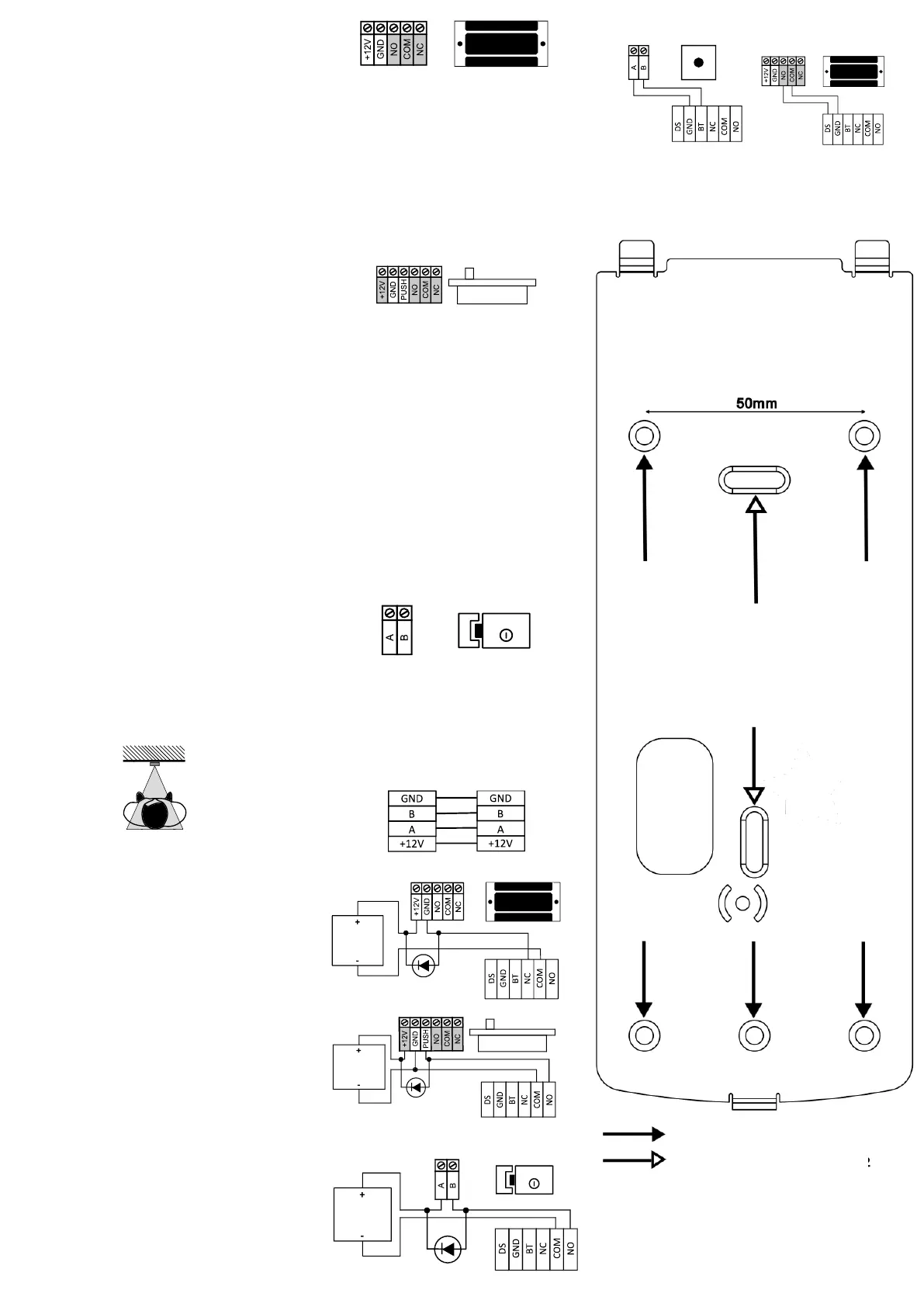
Connection of iDFace Max and EAM – Mandatory
Electromagnetic Lock
2
Solenoid Pin Lock (Fail Safe)
2
Electromechanical Lock (Fail Secure)
2
REX Connection Door Sensor Connection
2
It is mandatory to use a separate external
power supply exclusively for powering locks,
electromagnetic locks, and general latches.
Diodo
Power Supply
+12V/1A
Fonte
Externa
Diodo
Power Supply
+12V/1A
Fonte
Externa
Holes for fixing in the 4x2 box


 To Previous Page
 Loading...