
 Need help?
Do you have a question about the Convergent Convergys X3 and is the answer not in the manual?
Description of the analyzer's purpose.
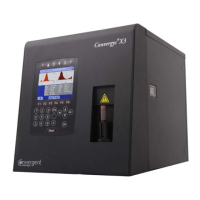
Describes the Convergys X3 analyzer features.
Explains sample processing, parameters, and report customization.
Lists and describes reagents used by the analyzer.
Outlines basic operator interactions with the instrument.
Introduces calibration and quality control procedures.
Details front and rear panel features with diagrams.
Details the three main functional units of the analyzer.
Explains the role and operation of the fluidic system.
Describes the START button and status indicator LED.
Describes the color graphic LCD module.
Details the foil keypad and function keys for operation.
Mentions control blood for continuous monitoring.
Lists items shipped with the analyzer.
Lists technical specifications of the analyzer.
Introduction to the installation procedures for the analyzer.
Specifies optimal operating temperature and humidity conditions.
Details power needs, grounding, and safety warnings.
Outlines necessary space and location considerations.
Instructions for connecting external devices.
Guidelines for handling reagents and waste safely.
User checks for weekly maintenance components.
Steps for unpacking and initial setup of the analyzer.
Step-by-step guide to powering on the analyzer.
Proper shutdown procedure to prevent errors.
Procedures for shipping or long-term storage.
Procedures for responding to emergency situations.
Overview of the software menu structure and its functions.
Explains methods for navigating through menus and items.
Outlines the instrument's main menu functions and options.
Explains the Coulter method for cell counting and sizing.
Describes the photometric method for hemoglobin measurement.
Lists and describes all measured and calculated parameters.
Defines the guaranteed accuracy ranges for parameters.
Procedures for proper handling and preparation of blood samples.
Step-by-step guide for performing sample analysis.
Displays and explains measurement results, histograms, and warning flags.
Overview of the measurement process and local menu.
Overview of how patient results are stored and retrieved.
Options for accessing and managing database records.
Accessing the maintenance functions menu.
Describes priming procedures for the fluidic system.
Mentions the procedure for draining the measurement chamber.
Displays current reagent volumes and status.
Instructions for emptying the waste container when full.
Identifies fluidic and mechanical parts accessible via the side door.
Outlines daily, weekly, and semi-annual maintenance tasks.
Instructions on when and how to calibrate the instrument.
Procedures for setting up and performing quality control.
Accessing device information and self-test routines.
Accessing various instrument configuration settings.
Lists items that can be sent to a printer.
Provides a diagram of the instrument's fluidic system.
Explains the meaning of various safety labels.
Details the terms and conditions of the instrument's warranty.
 General
| Brand | Convergent |
|---|---|
| Model | Convergys X3 |
| Category | Measuring Instruments |
| Language | English |

 To Next Page