11
TURNING ON / OFF Wi-Fi
To turn on Wi-Fi:
In video mode, press and hold Up Button for three seconds to turn on
Wi-Fi.
To turn o Wi-Fi:
Press Up button to turn o Wi-Fi.
Display Options
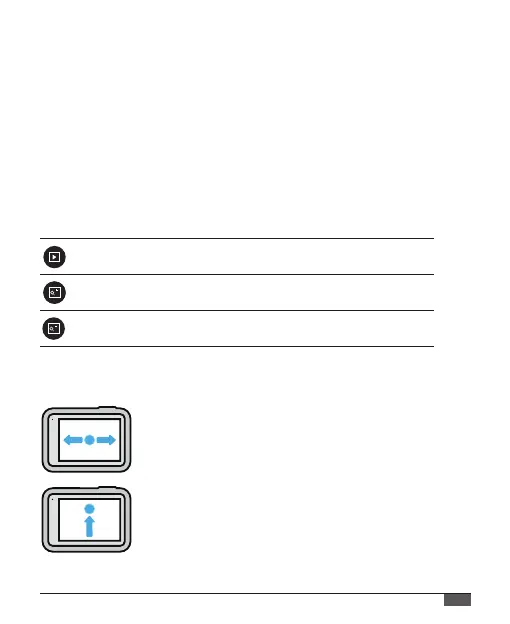
USING THE TOUCH SCREEN
Setting
Playback
Zoom in
Zoom out
Description
Shows the videos or photos you shoot
Zooms in the shooting objects
Zooms out the shooting objects
Swipe Left or Right
Switch between Video and Photo modes.
Swipe Up From the Edge of the Screen
Open the Dashboard when your camera is in a
landscape orientation.



 To Next Page