16
CUSTOMIZE YOUR CU-SPC02
VIDEO SETTINGS
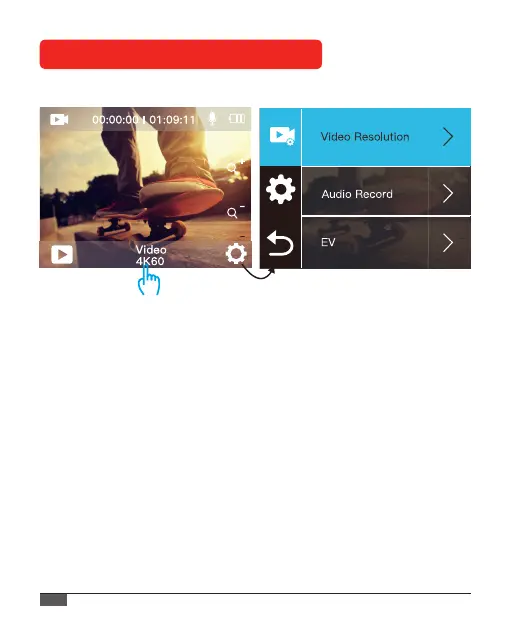
1. Video Resolution: 4K 60fps, 4K 30fps, 2.7K 30fps, 1080P 120fps ,
1080P 60fps, 1080P 30fps, 720P 240fps, 720P 120fps, 720P 60fps.
Default setting is 4K 30fps.
2. Audio Record: On / O
Default setting is on.
Turn o Audio Record, the camera does not record audio when you
record video.
3. EV(Exposure Value): -2 ~ +2
By default, your camera uses the entire image to determine the
appropriate exposure level. This setting is particularly useful in shots
where an important region might be over- or underexposed.
When you change this setting, the IPS display immediately shows you



 To Next Page