EasyManua.ls Logo

Cooke & Lewis CLCER60 - User Manual

Cooke & Lewis CLCER60
80 pages
Print Icon
To Next Page IconTo Next Page
Loading...
CLCER60 3663602842255
V31117
This file is the property of Kingfisher Group Plc. No copying, alteration or amendment is permitted without
written authorisation from the Kingfisher Brand Team.
V1.1
ᇹࡒמ֣ăěŗʗɡ2/5ǟϨҨ뼷ɑϨǢࣂĀߩݨԶѤӍ.CDɡӴҲŀмŗ฼ʸߩݨȞƥԶѤ뼶
ǕNJɫĀܨ࠰ᇹࡒמ֣ǨĈ뼶λǀᇹࡒȞײ֣ӿĀΒǚǜNj뼷ăīŢǕNJɫɘDŽҫ뼵ȻƑͱզϐ뼶
PROCESS
BLACK
SEPARATIONS JOB INFO
VERSION #
PID #: 00001
Agency job #: GLOA10332
Product Description: SM v3
200000013
Brand: Xxxxxxxxxxxxxxxxxxxxxxx
Brand Contact: xxxxx@xxxxx.com
Barcode: 3663602842255
Vendor: Global Asian
No. of new line drawings: xx
Page size A5 / No. of printed pages 80
R R 4 R 6 7 8
04/10/17
DLS
24/10/17
DLS
02/11/17
DLS
03/11/17
DLS
06/11/17
TjB
00/00/17
INITIALS
00/00/17
INITIALS
00/00/17
INITIALS
1
NOTE: A4 and has been resized to A5

Questions and Answers

  • R
    Rick BarnesAug 4, 2025
    What to do if my Cooke & Lewis CLCER60 cooktop cannot be turned on?
    • D
      David WarrenAug 4, 2025
      If your Cooke & Lewis Hob cooktop won't turn on, first ensure it's properly connected to the power supply and switched on. Check the household fuse and test other electric appliances to see if there's a power cut.
  • B
    Belinda MasonAug 10, 2025
    Why are the touch controls on my Cooke & Lewis CLCER60 unresponsive?
    • M
      Michael HardinAug 10, 2025
      If the touch controls on your Cooke & Lewis Hob are unresponsive, it's likely that the controls are locked. Try unlocking the controls, as the safety mode (child lock) may be activated.
  • G
    gstoneAug 16, 2025
    What to do if I see error message ER21 on my Cooke & Lewis CLCER60 Hob?
    • R
      roger19Aug 16, 2025
      If you see error message ER21 on your Cooke & Lewis Hob, it indicates that the temperature inside the appliance is too high. You should stop using the appliance and allow it to cool down.
  • T
    trevorhallAug 22, 2025
    How to improve the operation of touch controls on my Cooke & Lewis CLCER60?
    • M
      Michael LeblancAug 23, 2025
      If the touch controls on your Cooke & Lewis Hob are difficult to operate, make sure the touch control area is dry. Also, use the ball of your finger when touching the controls, not just the tip.
  • M
    Matthew AustinAug 28, 2025
    What to do if I see error message ER03 on my Cooke & Lewis CLCER60?
    • V
      velasquezbrianAug 28, 2025
      If you see error message ER03 on your Cooke & Lewis Hob, it means a key was pressed for more than 10 seconds. Release the key, and the appliance will reset automatically.

Summary

Checking Instructions

Electrical Safety and Usage

Guidance on safe electrical appliance usage, including installation and reading safety instructions.

General Safety Warnings

Installation and Hazard Warnings

Warnings regarding installation hazards, local regulations, and use by children or persons with reduced capabilities.

Fire Safety Instructions

Critical safety advice to prevent fires, including handling hot surfaces and extinguishing burning oil.

Further Safety Precautions

Electrical Installation Requirements

Mandatory requirements for electrical installation, including disconnection means and proper wiring.

Important Usage & Installation Notes

Electrical Connection and Data

Direct Connection Procedure

Instructions for direct mains connection via an omnipolar circuit breaker and earthing requirements.

Circuit Breaker and Wiring

Specifies the requirement for a 32 Amp Miniature Circuit Breaker and correct wiring compliance.

Troubleshooting Guide

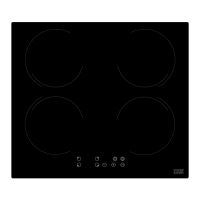
Cooke & Lewis CLCER60 Specifications

General IconGeneral
TypeCeramic
Number of Zones4
Control TypeTouch
Width59 cm
Installation TypeBuilt-in
Dimensions (W x D)590 mm x 520 mm
Power6000 W
Safety FeaturesResidual heat indicator

Related product manuals