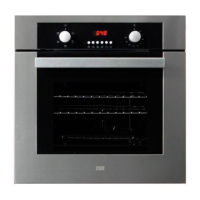
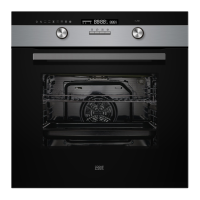
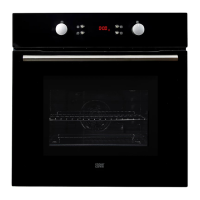
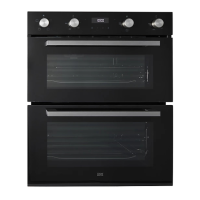
This document serves as an instruction manual for the Cooke & Lewis CLELDO105 double oven, providing detailed guidance on its installation, operation, and maintenance.
Function Description
The CLELDO105 is a built-in double oven designed for domestic use, featuring both a top oven and a main oven, each with distinct cooking functions. The appliance is a Class I device and requires proper earthing.
Top Oven Functions:
- Oven light: Used for illuminating the oven interior, particularly useful during cleaning.
- Single grill: Ideal for grilling small portions of food, requiring placement in the center of the trivet.
- Double grill: Suitable for grilling larger portions of food, utilizing the full width of the trivet.
- Convection oven: Designed for traditional convection cooking, including roasting and baking.
Main Oven Functions:
- Oven light: For illuminating the oven interior, useful during cleaning.
- Defrosting and cooling: Allows for defrosting food with the door closed, or cooling food prior to refrigeration with the door open.
- Fan assisted grill: Circulates heat around the food for even grilling, to be used with the door closed.
- Double grill: For grilling larger portions of food, utilizing the full width of the trivet.
- Single grill: For grilling small portions of food, requiring placement in the center of the trivet.
- Convection oven with fan: Suitable for baking bread and cakes, ensuring even heat distribution.
- Bottom element only: Used for crisping the bases of pizza and cake at the end of cooking.
- Fan assisted oven: Provides fan-assisted cooking for even temperature distribution.
The oven features a control panel with a function button, minus and plus buttons for setting times, a lock button, and icons for cooking duration, controls locked, clock, and end time.
Usage Features
The oven is designed for ease of use with a range of features to enhance the cooking experience.
Initial Setup:
Upon first power-on, the oven will beep, and the clock icon will flash with "0:00" displayed. The clock must be set using the "+" or "-" buttons.
Setting the Alarm:
The alarm can be set for a duration between 0:01 and 23:59. The oven will beep for two minutes once the countdown reaches "0:00," or the alert can be stopped by pressing any button.
Setting Cooking Duration and End Times (Main Oven Only):
These functions allow for programming the main oven to automatically switch off after a set cooking duration or at a specified end time.
- Cooking Duration: Accessed by pressing the function button twice. The icon will flash with "0:00," and the duration can be set using the "+" or "-" buttons (range 0:01-23:59). The oven will switch off and beep when the time expires.
- End Time: Accessed by pressing the function button three times. The icon will flash with the current time, and the end time can be set using the "+" or "-" buttons (up to 23:59). The oven will switch off and beep at the set end time.
- If the oven is turned on before programming, it will enter Standby mode until the start time. If programmed first, it will automatically enter Standby.
- Note: Altering the master clock will cancel any set Alarm, Cooking duration, or End time programs. If all three are set, only the Alarm time will be displayed.
Lock Function:
The control panel can be locked by pressing and holding the lock button for three seconds, preventing accidental changes. The rotary controls, however, remain operational in locked mode.
Using the Grill (Top Oven):
- Select Single Grill or Double Grill and set the temperature to high.
- Place thinner foods on the top grill tray and thicker foods lower down.
- Always use oven gloves and avoid leaning over the door opening due to hot air emission.
- Do not use aluminum foil in the grill tray to prevent fire hazards.
Using the Convection Oven (Top Oven):
- Select Convection oven and the desired temperature.
- The indicator light will illuminate during pre-heating (up to 15 minutes) until the correct temperature is reached.
- The thermostat will maintain the temperature by cycling on and off.
- Never place items directly on the oven base or cover it with foil, as this can cause overheating. Always use the grill tray or shelf.
Using the Fan Assisted Oven (Main Oven):
- Select Fan assisted oven and the desired temperature.
- The indicator light will illuminate during pre-heating (up to 15 minutes) until the correct temperature is reached.
- The thermostat will maintain the temperature by cycling on and off.
Using the Grill (Main Oven):
- The main oven grill uses only the internal top element.
- Preheat the oven for 5-10 minutes with the door closed.
- Select Single grill, Double grill, or Fan assisted grill as needed.
Moving Oven Shelves:
- Always use the shelf markings as a guide.
- Ensure shelves are level and the rear upstand faces upwards.
Choice of Cookware:
- Use good quality roasting tins and baking trays to avoid warping and safety hazards.
Using Defrosting and Cooling (Main Oven):
- Select Defrosting and cooling.
- For defrosting, place food in the center of the oven with the door closed.
- For cooling, leave the door open.
- Defrosting times vary by food size (e.g., small meat/fish 1-2 hours, larger casseroles 3-5 hours). Do not defrost items over 2 Kg.
- Always ensure food is completely thawed and cooked thoroughly before consumption.
Maintenance Features
Regular cleaning and maintenance are crucial for the appliance's performance and safety.
General Cleaning:
- Always switch off the appliance and allow it to cool before cleaning.
- Clean regularly to prevent excessive fat and grease buildup, which can be a fire hazard.
- Avoid undiluted bleaches, chlorides, wire wool, or abrasive cleaners on aluminum, stainless steel, plastic/painted parts, as these can cause damage. Use a soft cloth and hot soapy water only.
- Be careful when cleaning over symbols on front panels to prevent fading.
- For stainless steel-cladded strips, any white residue can be removed with a non-abrasive wipe.
- Do not use steam cleaners.
Stainless Steel Surfaces:
- Clean with a clean cloth wrung out in hot soapy water, then dry with a soft cloth.
- Stubborn marks can be removed with a stainless steel cleaner.
- Sharp objects can mark the surface, but these marks will become less noticeable over time.
- Wipe up spillages immediately, especially corrosive substances like vinegar, fruit juices, and salt, to prevent damage.
Enamel Surfaces:
- Clean with warm, soapy water and a clean cloth.
- For larger fat splashes, use a mild cream cleaner.
- Rinse well and dry with a soft, clean towel or cloth.
Glass Surfaces:
- Use only a clean cloth wrung out in hot soapy water or a specialist glass cleaner.
- Rinse off excess cleaner and dry with a soft cloth.
- WARNING: Do not use harsh abrasive cleaners or sharp metal scrapers, as they can scratch the surface and lead to shattering.
Chrome Plated Surfaces:
- Clean with hot soapy water and a soft cloth.
Cleaning Side Rails and Covers:
- Remove all accessories from the oven.
- Carefully remove the side rails from the covers.
- Remove the side covers from the oven interior.
- Clean rails and covers with hot soapy water and a sponge, then wipe dry with a damp cloth.
- Reattach the side covers and rails before returning accessories.
Removing Oven Parts for Cleaning:
- Oven Door: Open the door to its maximum angle, pull the buckle at the hinge backward, then close the door to approximately 30°. Hold the door with one hand on each side, lift up, and slowly pull it out.
- Inner Door Glass Panel: The inner glass panel can be removed for cleaning. It must be replaced with the silkscreen facing inwards and pushed fully into the stop position. To remove, open the door wide, push the clips on the left and right sides of the door bracket, remove the plastic top cover, and slide the glass out.
- WARNING: Do not operate the appliance without the glass panel correctly fitted. Glass panels are toughened to minimize injury risk if broken, but any surface or edge damage can cause breakage without warning. Damaged panels should be replaced immediately.
Bulb Replacement (Cold Oven Only):
- Switch off power at the main circuit breaker.
- Carefully unscrew the cover counter-clockwise.
- Replace the bulb and screw the cover back in place.
- NOTE: Use only 25-40 W / 220 V-240 V, T300°C G9 halogen lamps. Handle with a soft cloth to prevent premature failure.

 To Next Page

 General