
 To Next Page
A
Alexandra SloanAug 9, 2025
What to do if my Cooke WATER WITCH SMART SENSE Water System shows 'NO VALVE'?
- VvphillipsAug 9, 2025
If the Cooke Water System displays 'NO VALVE', inspect the solenoid and cable for any damage to the wire or connectors.

What to do if my Cooke WATER WITCH SMART SENSE Water System shows 'NO VALVE'?
If the Cooke Water System displays 'NO VALVE', inspect the solenoid and cable for any damage to the wire or connectors.
What to do if my Cooke Water System displays 'BOOST'?
If your Cooke Water System shows 'BOOST', verify the valve output type within the Parameters settings, and adjust it if necessary. If the problem continues, contact Cooke Industries.
What should I do if my Cooke Water System displays 'OUTPUT'?
If the Cooke Water System displays 'OUTPUT', replace the solenoid valve.
What to do if my Cooke WATER WITCH SMART SENSE Water System displays 'UNKNOWN'?
If the Cooke Water System displays 'UNKNOWN', reset the unit’s power. If the issue persists, contact Cooke Industries.
What to do if my Cooke Water System displays 'VALVE'?
If the Cooke Water System displays 'VALVE', check the valve output type within the Parameters settings and change it if required.
What to do if my Cooke Water System displays 'FILL'?
If the Cooke Water System displays 'FILL', it could be due to several reasons. It could be that debris is obstructing the sensor, preventing it from accurately detecting the water level. In this case, inspect and clean the sensor. Another potential cause is a faulty sensor, which would require checking its operation and possible replacement. Also, the solenoid valve may have failed, preventing the pool from filling; replacing the solenoid valve might resolve this. The fill timer might be exceeding the run time because the volume is set too low. Ensure the volume setting is appropriate for the water body. If a large amount of water was removed, consider using the manual fill feature. Check the sensor plug and wiring, ensuring they match the following configuration: YELLOW LEFT, GREEN RIGHT,...
Certificate of Conformity for the Solenoid Valve, indicating compliance with relevant standards.
Certificate of Conformity for the Backflow Prevention Valve, confirming adherence to specifications.
Lists common applications for the Water Witch, including pools, spas, tanks, and irrigation.
Key notes on installation, overflow, local regulations, and component wear for project success.
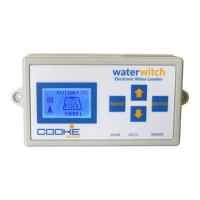
Details the Water Witch Control Box and its part number (WS345).
Lists available Water Witch Sensor models based on cable length, from 5m to 60m.
Outlines the available Solenoid and Backflow Prevention Valve configurations.
Guidance on positioning the control box, ensuring a power source, and securing it.
Explains how the sensor works and lists available cable lengths for the Water Witch Sensor.
Details on pipe requirements, sensor housing, cable routing, and cap usage for proper installation.
Details for installing the solenoid valve into a balance line, including a diagram.
Instructions for installing the solenoid valve in the filtration return line with pressure considerations.
Explains using the Water Witch for balance tanks and provides installation considerations.
Discusses design factors and installation for infinity edge troughs to maintain water levels.
Describes how the Water Witch can activate a pump to manage water levels in tanks or troughs.
Step-by-step guide to setting the correct water level for the Water Witch sensor.
Guide to selecting and setting tank types and volumes for various applications.
Instructions for using the Manual Fill function to add water for a set duration or until a level is reached.
Instructions on accessing and interpreting the unit's daily and average runtime data for the past 14 days.
Instructions on how to access and review the last six faults recorded by the unit.
Details on troubleshooting the 'FILL' fault, including sensor debris, valve failure, and wiring.
Lists other common fault codes (MODE, VALVE, NO VALVE, BOOST, OUTPUT, UNKNOWN) and their solutions.
Guide to adjusting unit settings like output type, volume units, and sensor reaction time.
Recommended maintenance tasks including monthly, half-yearly, and annual checks.
Technical details for the Control Box, Sensor, and Solenoid, including power, dimensions, and operating conditions.
Details on warranty coverage, the claims process, and special conditions for the Water Witch.
 General
| Brand | Cooke |
|---|---|
| Model | WATER WITCH SMART SENSE |
| Category | Water System |
| Language | English |
