
 Need help?
Do you have a question about the Cookworks IM2104-GS and is the answer not in the manual?
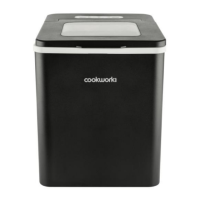
The Cookworks Ice Maker, model IM2104-GS, is a compact and efficient appliance designed for household and indoor use, capable of producing ice cubes for various needs. This ice maker is primarily used to generate ice, offering a convenient solution for homes without built-in ice production in their refrigerators or for those requiring additional ice for entertaining.
The ice maker operates by circulating water over a cooling element to form ice, which is then released into an ice collection basket. It features a control panel with indicators for different operational states and settings. Users can select between two ice cube sizes: small and large. The appliance includes an "ADD WATER" indicator to signal low water levels, prompting the user to refill the reservoir. An "ICE FULL" indicator alerts the user when the ice collection basket is full, at which point ice production automatically stops. There is also a "CLEAN" indicator, which activates when the ice maker needs cleaning, and a "SELECT" button to choose ice cube size or initiate the cleaning cycle. The device is designed for ease of use, with simple controls for starting, stopping, and managing ice production.
Before first use, the appliance requires unpacking, checking all parts, and settling for 2 hours to allow the oil in the compressor to flow back into position. The ice maker should be placed on a stable, flat surface with at least 15cm clearance around all sides for adequate airflow and heat dissipation.
To operate, the lid is lifted, and the ice collection basket is removed. The water reservoir is then filled with drinking water, ensuring the water level does not exceed the MAX level mark. After refitting the ice collection basket and closing the lid, the appliance is plugged in, and the POWER indicator illuminates. Pressing the ON/OFF button starts the ice maker. The SELECT button allows users to choose between small and large ice cube sizes. The ice maker will automatically start producing ice, with the first batch typically ready in 7-15 minutes. The time taken depends on ambient temperature and water temperature. Cooler room temperatures and drinking water will result in faster ice formation.
The "ADD WATER" indicator will illuminate when the water reservoir is low, requiring a refill to continue ice production. The "ICE FULL" indicator will light up when the ice basket is full, and production will stop until ice is removed. If both "ADD WATER" and "ICE FULL" indicators illuminate, it may indicate issues such as the water tray being out of position or sunlight interfering with sensors.
Troubleshooting tips are provided for common issues:
Regular cleaning is crucial for optimal performance and hygiene. The manual recommends cleaning the ice maker once per week if in regular use, when the "CLEAN" indicator activates, and before and after prolonged storage.
The cleaning process involves:
For refilling the water reservoir, the "ADD WATER" indicator signals the need. The process involves lifting the lid, removing the ice collection basket, filling the reservoir with cool drinking water (not exceeding MAX level), and then refitting the basket and closing the lid.
The product is guaranteed against manufacturing defects for a period of one year from the date of original purchase. This guarantee covers faulty materials or workmanship, offering replacement, refund, or repair. However, it does not cover accidental damage, misuse, cabinet parts, knobs, or consumable items. The product must be installed and operated according to the instructions, used solely for domestic purposes, and the guarantee is invalidated if the product is re-sold or damaged by inexpert repair.
The Cookworks Ice Maker is designed to be recycled responsibly. It should not be disposed of with normal household waste but taken to a suitable facility for disposal. Information on recycling sites can be found via www.recycle-more.co.uk.

 To Next Page
 General