GB
7
Temperature setting and control (EVCO)
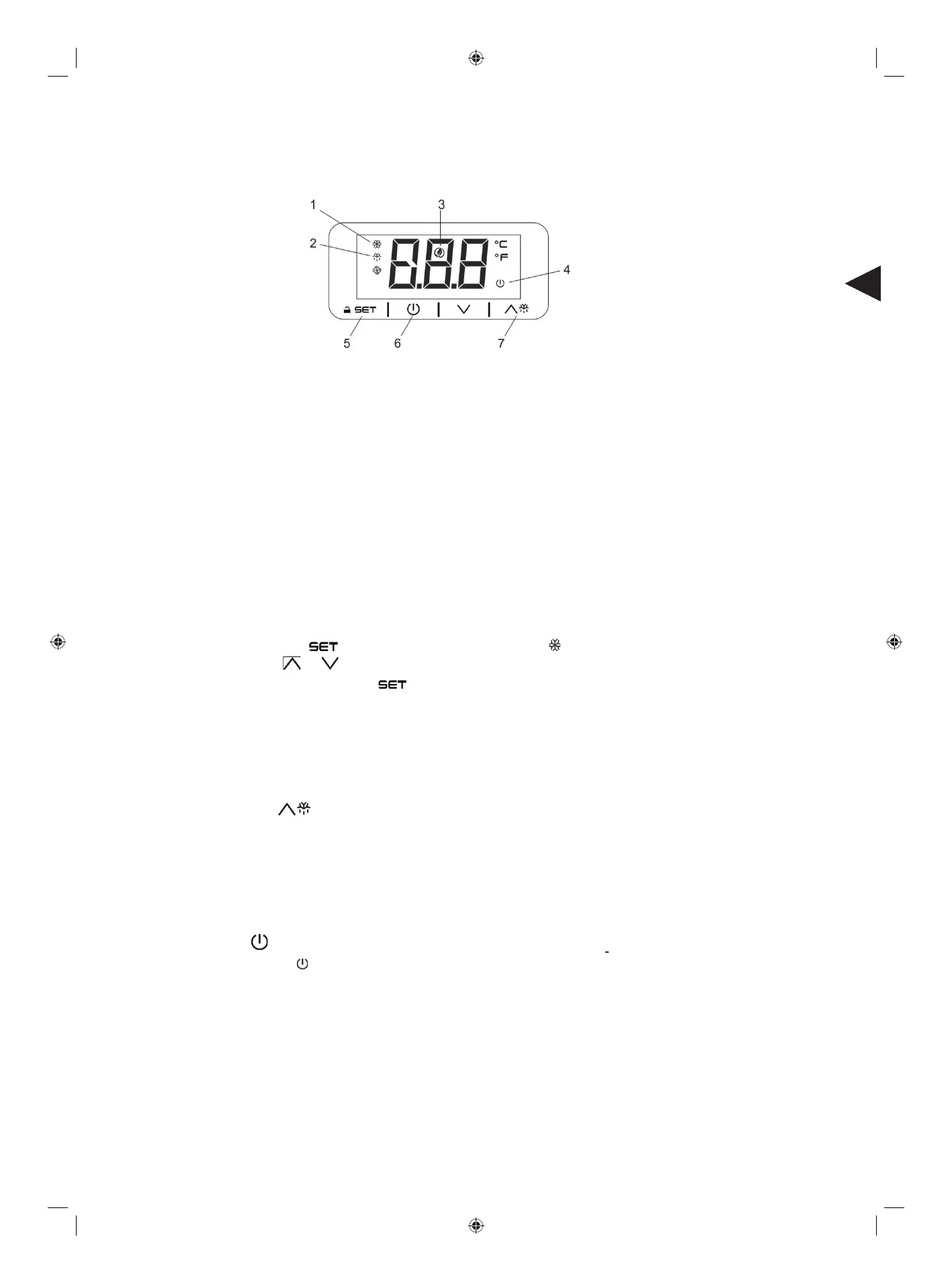
The front panel of the thermostat
1. Compressor operation light
2. Defrosting light
3. Energy saving light
4. Stand-by light
5. Programming key (service agent only)
6. Machine On/Stand -by (keep pushed)
7. Manual defrost (keep pushed)
How to unlock the keyboard (»Loc» message)
- Push any button for more than 2s, «UnL» message will appear and the keyboard will be unlocked.
Note:for safety reasons the keyboard locks automatically after 30s of keys inactiv
ity.
T
o execute any operation, please unlock the keyboard first.
How to see and mo
dify the set point
- Push and immediately release the key, the set point will be showed and starts blinking;
- To change the set value push or arrows within 20s.
- To memorize the new set point value push the key again or wait 20s.
Note: the cycle starts from the time the appliance is initially powered up.
To manually defrost the applicance:
- Press and hold the DEFROST button for 3s;
-
How to turn the machine in ON / STAND -BY status
- Press and hold the
key for 4s, the machine will turn from ON to STAND -BY status and vice-versa.
During the button hold the LED will blink to show status changing.
Automatic defrost
The appliance will automatically run defrost cycles.
The defrost cycle will start immediately and the Defrost LED illuminates.
Note: Starting a manual defrost also resets the automatic defrost timer. The next automatic defrost will start according
to the set parameter after the manual defrost has finished.


 To Next Page