Need help?
Do you have a question about the Cooler Master GD160 ARGB and is the answer not in the manual?
Attaching supporting beams (J, K) and side brackets (M) to the frame.
Mounting the lifting columns (I) to the base structure.
Attaching the feet (H) to the lifting columns.
Mounting the tabletop (T), power adapter (P), and control panel (R).
Connecting cables and installing the cable management tray (O).
Securing the power adapter & cable tray (N).
Overview of product controls and detailed specifications.
Using the height adjustable function and saving preferred heights.
Details on USB charging capabilities and light effect customization.
Adjusting anti-collision sensitivity and resolving common issues.
Guidance for resolving common operational issues with the desk.
Key considerations for power, environment, cleaning, and safety.
Covers warranty period, exclusions, and international conflict resolution.
Specific warranty terms and consumer rights for Australia.
 General
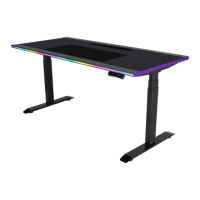
| Type | Straight |
|---|---|
| Proper use | Gaming |
| Frame color | Black |
| Castor wheels | No |
| Base legs type | T-legs |
| Backlight color | Red/Green/Blue |
| Table top shape | Rectangular shape |
| Height adjustment | 650 mm |
| Table top material | - |
| Height adjustment type | Electric |
| Height adjustment range | 650 - 1300 mm |
| Maximum weight capacity | 100 kg |
| Windows operating systems supported | Windows 10, Windows 10 Education, Windows 10 Education x64, Windows 10 Enterprise, Windows 10 Enterprise x64, Windows 10 Home, Windows 10 Home x64, Windows 10 IOT Core, Windows 10 IoT Enterprise, Windows 10 Pro, Windows 10 Pro x64, Windows 10 x64, Windows 11, Windows 11 x64, Windows 7, Windows 7 Enterprise, Windows 7 Enterprise x64, Windows 7 Home Basic, Windows 7 Home Basic x64, Windows 7 Home Premium, Windows 7 Home Premium x64, Windows 7 Professional, Windows 7 Professional x64, Windows 7 Starter, Windows 7 Starter x64, Windows 7 Ultimate, Windows 7 Ultimate x64, Windows 7 x64, Windows 8, Windows 8 Enterprise, Windows 8 Enterprise x64, Windows 8 Pro, Windows 8 Pro x64, Windows 8 x64 |
| USB version | 2.0 |
| USB 2.0 ports quantity | 1 |
| Material | Aluminium, Steel |
| Charger type | Wired |
| Input voltage | 100 - 240 V |
| Input frequency | 50 - 60 Hz |
| USB charging current | 3 A |
 Weight and Dimensions
| Depth | 750 mm |
|---|---|
| Width | 1600 mm |
| Weight | 55400 g |
| Package weight | 64000 g |
| Mat size (W x D) | 900 x 300 mm |

 To Next Page