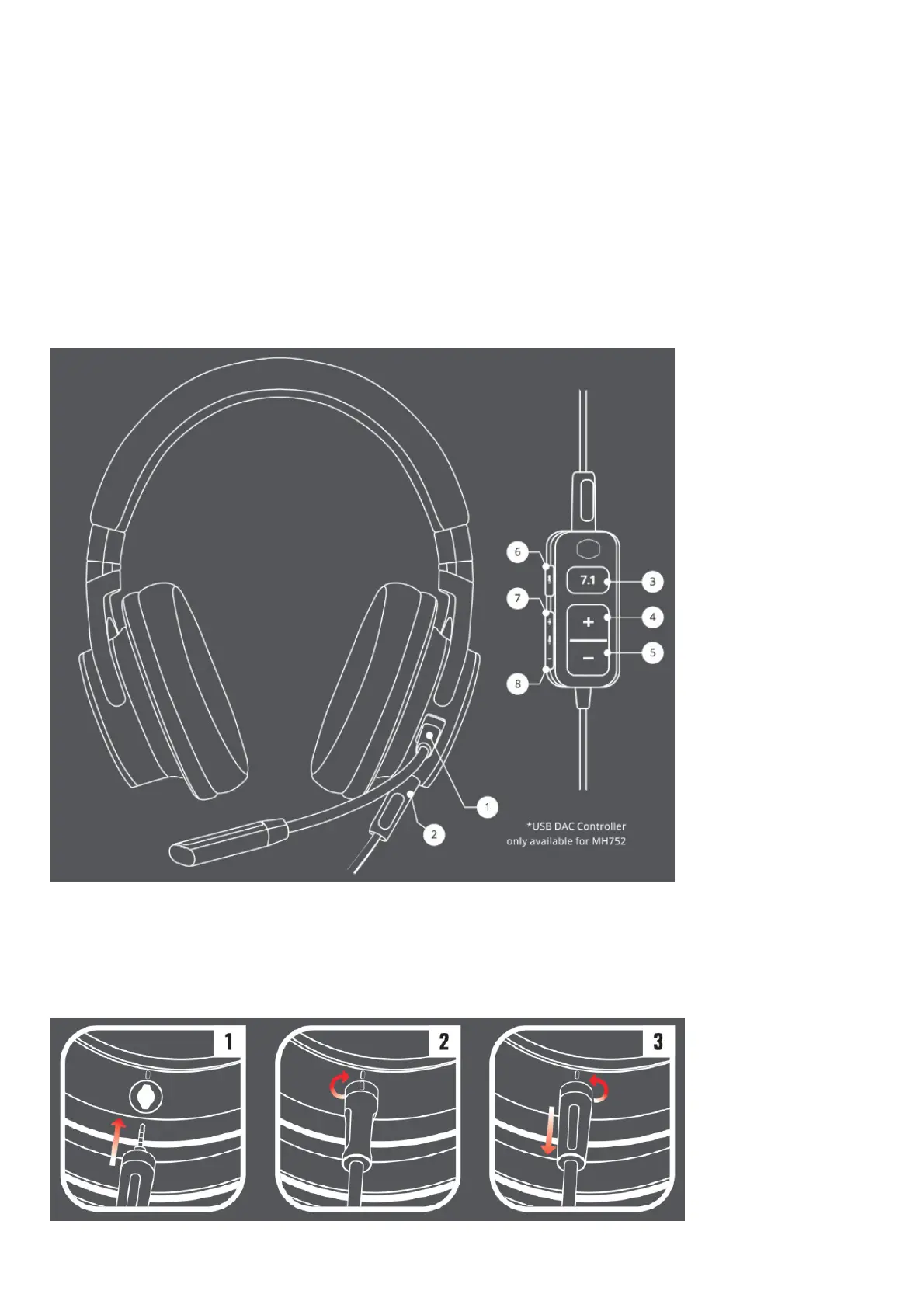
1. Detachable flexible mic 3. Volume Wheel
2. Detachable 3.5mm Cable 4. Mute microphone switch
MH752
• MH752 Gaming Headset • Pouch bag
• Quick Start Guide • Detachable flexible microphone
• USB DAC Controller • Detachable 3.5mm cable with lock
1. Detachable flexible mic 3. 7.1 Virtual Surround Sound buttom 5. Headset Volue Down 7. Microphone Volume UP
2. Detachable 3.5mm Cable 4. Headset Volume Up 6. Mute Microphone 8. Microphone Volume Down
3.5mm Cable Lock Instructions
1. Insert the 3.5mm cable jack all the way into the headset



 To Next Page