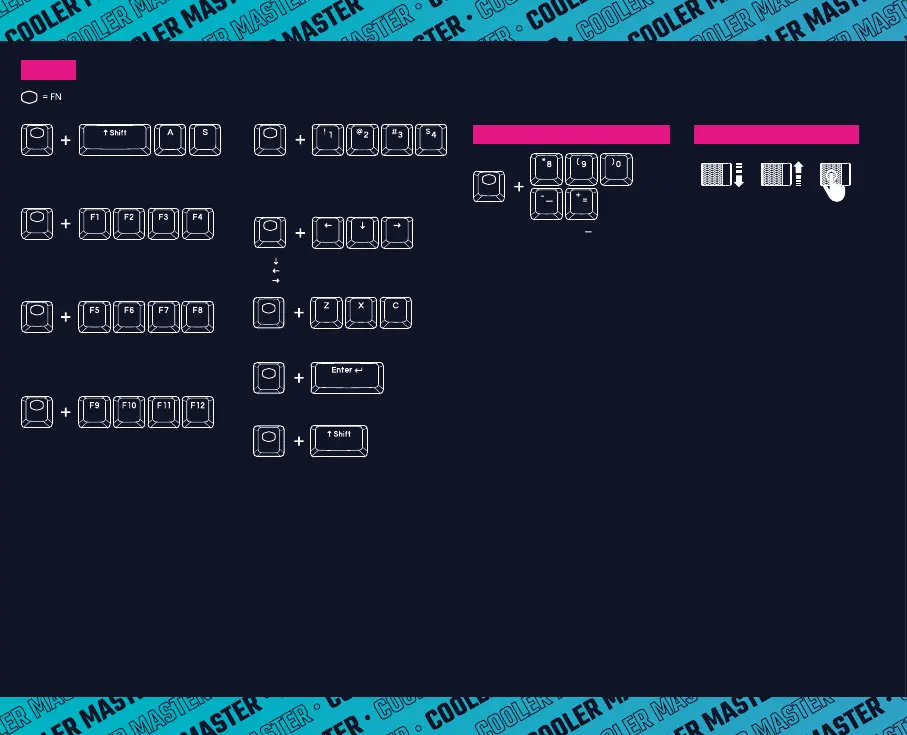
FN + F5 = Cycle LED Lighting Mode
FN + F6 = Lighting Foreground Effect
FN + F7 = Lighting Background Effect
FN + F8 = Cycle LED Lighting Brightness (0-4)
FN + F1 = Quick Pick / Cycle 8 Colors and Modes
FN + F2 = Red Color Levels (0-9)
FN + F3 = Green Color Levels (0-9)
FN + F4 = Blue Color Levels (0-9)
FN + Left Shift + A = Reset all to Default
FN + Left Shift + S = Reset Profile to Default
(Press and Hold for 5 seconds to Reset to Default)
FN + F9 = Windows Lock / Full Keyboard Lock
FN + F10 = Speed Up LED Lighting Effect
FN + F11 = Slow Down LED Lighting Effect
FN + F12 = Switching Lighting Effect Direction
FN + 1 = Profile 1 (Default)
FN + 2 = Profile 2
FN + 3 = Profile 3
FN + 4 = Profile 4
FN + Z/X/C = Select BT device 1/2/3
FN + Enter = Enter 2.4GHz Pairing Mode
FN + Right Shift = Switching OS (Windows/macOS)*
* When holding FN, Right Shift will light
blue for Windows and white for macOS
to indicate the keyboard OS status.
Scroll Down = Volume Down
Scroll Up = Volume Up
Press = Mute
PROFILE 1 (DEFAULT)
Scroll Down = Next Track
Scroll Up = Previous Track
Press = Play / Pause
PROFILE 2
Scroll Down = Reduce Lighting Brightness (0 - 4)
Scroll Up = Increase Lighting Brightness (0 - 4)
Press = Turn On / Off Backlight
PROFILE 3
Scroll Down = Cycle LED Lighting Mode -
Scroll Up = Cycle LED Lighting Mode +
Press = Cycle Lighting Mode Speed (1 - 5)
PROFILE 4
EN
Three-Way-Roller
FN + = Play/Pause
FN + = Previous Track
FN + = Next Track
FN + 8 = PRT SC
FN + 9 = SCR LK
FN + 0 = PAUSE
WINDOWS 10 HOTKEYS
FN + = HOME
FN + = = END


 To Next Page