Need help?
Do you have a question about the Cooler Master MK850 and is the answer not in the manual?
Explains the mechanism behind AIMPAD technology using infrared light and sensors.
Overview of the main interface and tabs within the Cooler Master software.
Details on configuring AIMPAD settings through the software.
Guide to customizing LED lighting effects using the software application.
 General
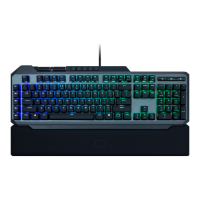
| Polling rate | 1000 Hz |
|---|---|
| Numeric keypad | Yes |
| Keyboard layout | QWERTY |
| Pointing device | No |
| Device interface | USB |
| Keyboard language | US English |
| Recommended usage | Gaming |
| Keyboard key switch | Mechanical |
| Keyboard form factor | Full-size (100%) |
| Microcontroller unit | ARM Cortex M3 |
| Key response time (max) | 1 ms |
| Built-in memory capacity | 512 KB |
| Keyboard keys operating life | 50 million characters |
| Keyboard key switch technology | Cherry MX Red |
| Material | Aluminium, Plastic |
| Product color | Black |
| Backlight type | RGB LED |
| Keyboard style | Straight |
| Backlight color | Red/Green/Blue |
| Cable length | 1.8 m |
| Number of products included | 1 pc(s) |
| Package depth | 513 mm |
| Package width | 283 mm |
| Package height | 305 mm |
| Package weight | 2055 g |
 Weight and Dimensions
| Keyboard weight | 1092 g |
|---|---|
| Keyboard dimensions (WxDxH) | 268 x 494 x 550 mm |

 To Next Page