Copyright 2015 © Cooler Master Corporation. All Rights Reserved.
Software: LED
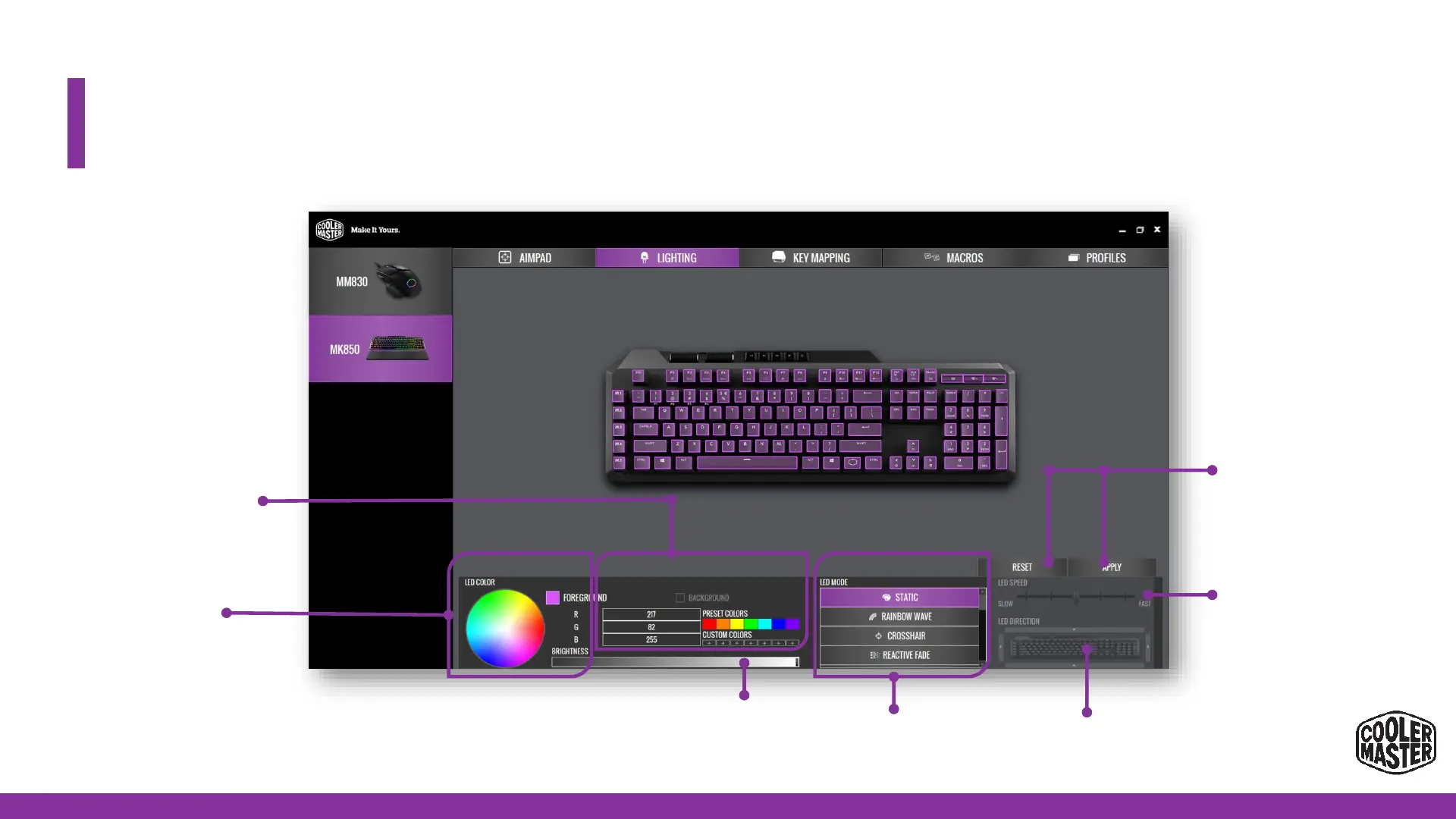
Select the LED Mode.
Point and click to
select the requested
color.
Select the requested color
by inputting the RGB color
code 255 x 255 x 255
For applicable modes:
Select the speed of the effect (5
levels)
Displaybox of selected color
Drag the slider to adjust the
brightness level
Select the led direction
Apply or reset your changes


 To Next Page