1. When the battery level falls below 15%,
the indicator will rapidly flash RED light 3
times every 20 seconds. This indicator
lighting will repeat until the mouse enter
Sleep Mode or is connected to the PC,
laptop or power source.
*The Low Power Mode percentage can be
customized via Cooler Master software.
2. When the battery level falls below 5%,
the mouse will go into Deep Sleep Mode. All
lighting will be turned off - including the
indicator.
INDICATOR LIGHTING RULE
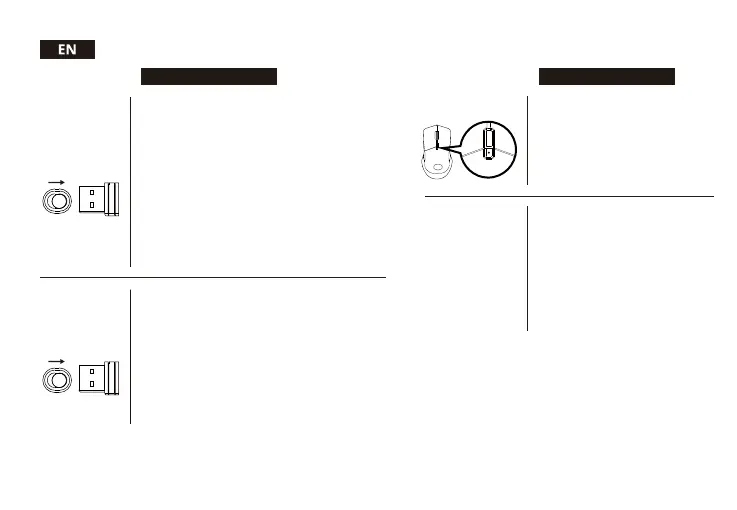
1. Toggle the physical switch on the bottom cover of the
mouse to turn off the mouse then unplug the dongle.
2. Press the "DPI" button for 5 seconds and toggle the
physical switch on the bottom cover of the mouse to enter
Pairing Mode. The indicator will rapidly flash BLUE 3 times
one every second to confirm you are in Pairing Mode.
3. Plug the included dongle into the desired device. The
mouse should automatically connect to the device.
4. If pairing is successful, the indicator will light up with a
solid WHITE light for 3 seconds. If unsuccessful, the mouse
will enter Sleep Mode after 30 seconds. In Sleep Mode, all the
mouse lighting will be turned off.
B. LOW BATTERY
SCENARIO
2.4 GHz MODE
1. Toggle the physical switch on the bottom cover of the
mouse to enter 2.4 GHz Mode. The indicator will continuously
flash a BLUE light one every second to confirm it is trying to
connect to a device.
2. Plug the included dongle into the desired device. The
mouse should automatically connect to the device.
3. If successfully connected, the indicator will light up with a
solid WHITE light for 3 seconds. If unsuccessful, the mouse
will enter Sleep Mode after 30 seconds. In Sleep Mode, all the
mouse lighting will be turned off.
4. To pair with other devices, simply unplug the dongle and
re-plug into another device. If pairing is successful, the
indicator will light up with a solid WHITE light for 3 seconds. If
unsuccessful, the mouse will enter Sleep Mode after 30
seconds. In Sleep Mode, all the mouse lighting will be turned
off.
A. USING 2.4 GHZ -
AN OVERVIEW
B. MANUALLY PAIRING
2.4 GHZ DONGLE
TO THE MOUSE
1. In Pairing Mode, the indicator will rapidly
flash BLUE 3 times one every second.
2. In Connecting Mode, the indicator will
continuously flash a BLUE light one every
second
3. If Pairing / Connecting is successful, the
indicator will light up with a solid WHITE
light for 3 seconds.
A. WIRELESS MODE



 To Next Page