20
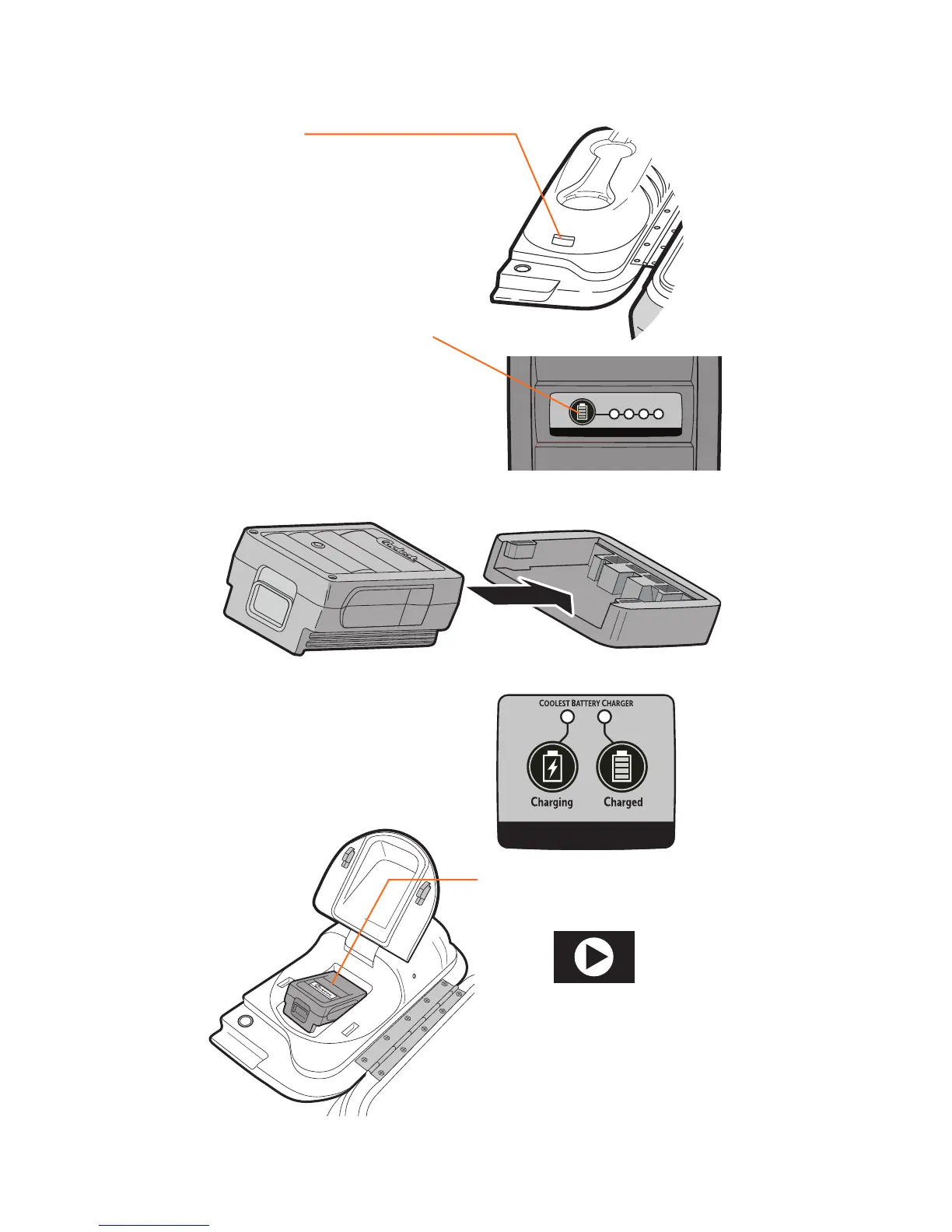
CHARGING THE BATTERY
Coolest Tip!
Be sure to charge up your
Coolest’s battery as soon as
you receive the product.
RELEASE
Press the battery lid release
button and depress red button
on battery to slide battery out.
POWER UP
Plug the Coolest battery
charger into included AC
power adapter and insert
battery.
CHECK POWER
Press the button to check the
battery’s state of charge.
CHARGE
LED lights indicate charging
status. Once the battery is fully
charged, the “Charged” LED
with illuminate.
BLEND ON!
Insert battery and close lid.
1.
3.
2.
4.
5.
BATTERY POWER LEVEL
WATCH DEMO AT
COOLEST.COM


 To Next Page