15
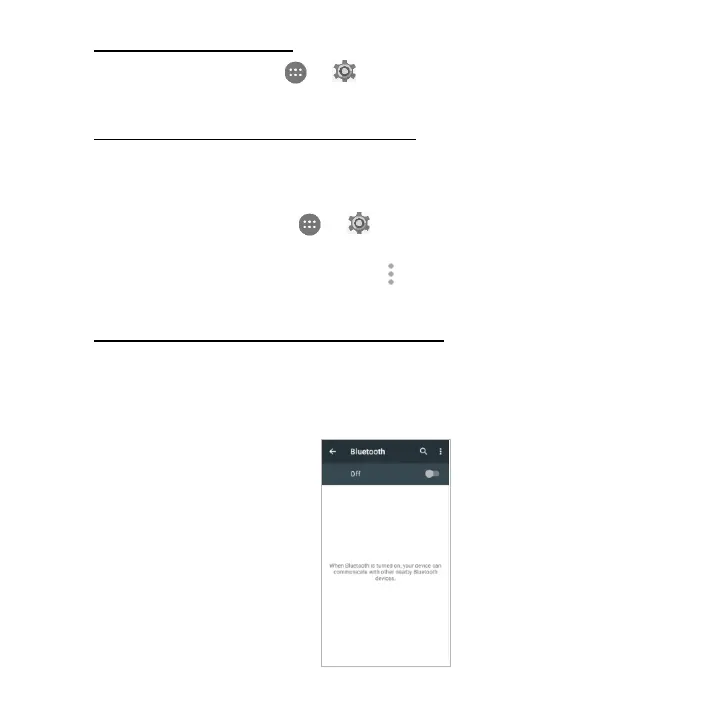
Turning Bluetooth on/off
On the Home screen, tap > to enter Settings screen. Then, choose
Wireless & networks > Bluetooth to turn Bluetooth on/off.
Changing your phone’s Bluetooth name
Your phone contains a random Bluetooth name which will be visible to other
Bluetooth devices during connection attempts. You can change the random name
to a more identifiable one.
1. On the Home screen, tap > to enter Settings screen. Then, choose
Wireless & networks > Bluetooth to turn Bluetooth on.
2. On the Bluetooth settings screen, tap > Rename this device.
3. Enter a new name and tap Rename.
Pairing your phone with a Bluetooth device
When initially using a new Bluetooth device, it will be necessary to pair it with your
phone, which is crucial in order to connect.
Now both devices save the connected record and will auto-connect for you next
time. If the device to pair with is not contained in the list, ensure that it is turned on


 To Next Page