– 5 –
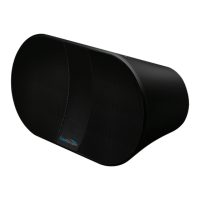
1 CoolStream BTS201 Portable Bluetooth Speaker
1 USB cable
1 Line-in cable
1 Quick start guide
Charging the CoolStream BTS201 Speaker
Charge (or directly power) the BTS201 by connecting it to a computer or USB
power adapter via the supplied USB cable. Charge it for 2 hours, till the Status
indicator light turns from Red to off. The speaker can play up to 4 hours after fully
charged.
Turning On/Off CoolStream BTS201 Speaker
• Press and hold the Power button for 3 seconds to turn on/off BTS201, then
the Status indicator will blink red and blue together.
• If the unit is not responding or cannot be turned on, press the Reset button to
reset, then press the Power button to turn on the unit.
This Box Contains


 To Next Page