EasyManua.ls Logo

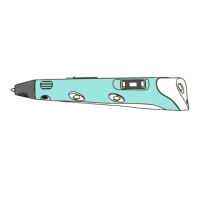
COOLSTUFF Spralla 3D Pen 2 - User Manual

COOLSTUFF Spralla 3D Pen 2
12 pages
Print Icon
To Next Page IconTo Next Page
Loading...
Manual
3D- pen
3D Pen 2 18763
What is PLA and ABS?
PLA is a type of polyester made from fermented
plant starch from corn, cassava, maize, sugarcane
or sugar beet pulp. The sugar in these renewable
materials are fermented and turned into lactic
acid, when is then made into polylactic acid, or
PLA.
ABS filament is one of the most common
materials used in 3D printing today. ABS, or
Acrylonitrile Butadiene Styrene, is a thermoplastic
that is easily molded when heated and hardens
evenly when cooled. ABS is made from monomers
Acrylonitrile, 1,3-Butadiene and Styrene with
petroleum as the basis.
Marking of product
Temperature tuning
EN
CoolStuff AB
Donaugatan 2
211 20 Malmö
www.coolstuff.com
+46 40 187200
info@coolstuff.se
Normally the filament output should be smooth
without bubbles.
196
Temp. - Temp. +
Increase the temp if:
Output filament surface color looks dim and dark.
Motor sounds strained.
Decrease temp if:
The nozzle has crackling sound.
The filament comes out with bubbles.
195
Trouble shooting
Symptom
Possible causes
Action
LED Power on
does not lit
Power adapter
or cord fault
Replace power
adapter or cord
Circuit board fault
Replace the
circuit board
No filament
coming out
from nozzle
Nozzle blocked
Replace the
nozzle parts
Temp too low Increase temp
Wrong type of
filament
Check filament
type: ABS or PLA
Filament
failed to load
Wrong size of
filament
Check filament
size: 1,75mm
Filament end not
flat
Cut the filament
end and reload
No heating Heating coil
damaged
Replace the
nozzle parts
Working angle
>65°
3D PEN 2
18763
Input:5V DC
Fila.dia 1,75mm
Made in China
Rev. 01 © Copyright 2022 CoolStuff AB
Question and Answer IconNeed help?

Do you have a question about the COOLSTUFF Spralla 3D Pen 2 and is the answer not in the manual?

Summary

Temperature Tuning

Adjusting Temperature

Guidance on increasing or decreasing temperature for optimal filament output.

Troubleshooting Guide

No Power Indicator

Steps to resolve issues when the power LED does not light up.

Filament Not Extruding

Solutions for when filament fails to come out of the nozzle.

Filament Loading Failure

Steps to take when the filament fails to load into the pen.

Heating Malfunction

Troubleshooting for issues related to the heating coil or lack of heat.

Filament Material Information

Understanding PLA

Explains PLA filament, its origin from plant starch, and properties.

Understanding ABS

Explains ABS filament, its composition and characteristics for 3D printing.

Product Marking and Compliance

Manufacturer Details

Contact and identification information for the manufacturer, CoolStuff AB.

EU Declaration of Conformity

Statement of compliance with relevant EU harmonisation legislation.

Getting Started

Product Overview

Introduction to the 3D pen's capabilities and creative uses.

Technical Specifications

Key technical details including power, temperature, dimensions, and materials.

Package Contents

List of items included in the product package.

Safety Information

Essential safety precautions and warnings for using the 3D pen.

How to Use the 3 D Pen

Powering Up and Standby

Connecting to power and understanding the standby mode.

Filament Loading

Step-by-step guide for loading filament into the pen.

Starting and Controlling Extrusion

How to begin drawing and adjust the speed of filament extrusion.

Finishing and Unloading Filament

Process for completing a session and safely ejecting filament.

Post-Usage Procedures

Instructions for powering down and storing the 3D pen.

COOLSTUFF Spralla 3D Pen 2 Specifications

General IconGeneral
BrandCOOLSTUFF
ModelSpralla 3D Pen 2
CategoryAccessories
LanguageEnglish