
 Need help?
Do you have a question about the COOLZY PRO PC9L and is the answer not in the manual?
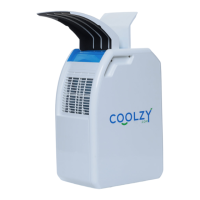
Identifies and labels all external parts of the Coolzy unit for user reference.
Explains the meaning of the indicator lights on the unit's LED display panel.
Details how to set the microclimate temperature and adjust it for optimal cooling.
Instructions for activating and deactivating the sleep function for quieter operation.
Explains how to use the timer to automatically turn off the unit after a set period.
Describes how the fan speed automatically adjusts based on ambient temperature.
Provides essential steps for setting up the unit and optimal placement for cooling.
Explains how the unit normally evaporates condensed water to enhance cooling.
Instructions on how to collect condensed water using the cable drawer.
Details how to adjust the nozzle for focused or gentle airflow and positioning.
Provides advice on nozzle angle, fan usage, and condensation for best cooling.
Recommends regular inspection and cleaning of air inlet filters for optimal performance.
Indicates the unit is powered on and compressor start-up status.
Signals when the water tank is full or the drawer is not fully inserted.
Indicates a low temperature risk, potentially causing ice formation.
Addresses issues where the unit does not power on when operated.
Troubleshoots why the unit is on but not producing cool air.
Explains the cause of water sloshing noises during high humidity operation.
Addresses scenarios where the room feels warmer despite unit operation.
Diagnoses and resolves issues related to a gradual decrease in cooling performance.
Lists key specifications such as model number, power source, and dimensions.
Details cooling capacity, airflow, operating environment, and noise levels.
Outlines the warranty period, coverage, and registration requirements.
Lists specific conditions and damages not covered by the product warranty.
Details owner duties, warranty claim steps, and required documentation.
Provides essential cautions regarding appliance use, storage, and handling.
Information on the refrigerant gas used and its safety implications.
Guidelines for safe operation in various environments and temperatures.
Advises on child supervision and safe handling of the appliance.
Covers proper storage, regular maintenance, and professional servicing procedures.
Provides instructions for safely transporting the appliance.
 General
| Brand | COOLZY |
|---|---|
| Model | PRO PC9L |
| Category | Air Conditioner |
| Language | English |

 To Next Page