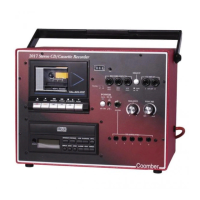
Playing a Pre-recorded Tape
Ensure the TAPE/CD selector switch (5) is in the OUT position for tape
playback. Open the cassette door (30) with the STOP/EJECT key (32) and
insert a pre-recorded tape. Close the door and press the PLAY key (35).
Adjust the VOLUME (7), BALANCE (8), TREBLE (9) and BASS (10) controls
to suit. To pause the tape, press the PAUSE (31) key.
Recording (cassette only)
Insert a blank cassette into the tape deck and depress the RECORD key
to begin recording from the selected source.
The record level is automatically set to provide simple, good quality
recordings from External Microphone, Auxiliary input or CD.
Note: it is not possible to record from CD and External sources at the
same time.
· RECORDING FROM AN EXTERNAL MICROPHONE
Ensure the TAPE/CD selector switch (5) is in the OUT position. This
will cause the i/p indicator (2) to illuminate.
Plug a suitable microphone into the EXT record input socket (3).
Depress the RECORD key on the cassette deck to begin recording.
Recording will be in MONO only.
Tip: When connecting microphones make sure the INPUT VOLUME
(14) is initially set low to prevent acoustic feedback. Once
connected, adjust setting to required volume and start recording.
· RECORDING FROM AN EXTERNAL SOURCE
Ensure the TAPE/CD selector switch (5) is in the OUT position. This
will cause the i/p indicator (2) to illuminate.
Connect a guitar, keyboard or external music source into the AUX
socket (4) using a suitable patch lead. Recordings can be in STEREO
or MONO depending upon the nature of the source and the
connecting leads used.
Depress the RECORD key on the cassette deck to begin recording.
· RECORDING FROM A CD
Ensure the TAPE/CD selector switch (5) is in the IN position. This will
cause the CD indicator (2) to illuminate.
Insert the CD. Depress the RECORD key on the cassette deck to begin
recording and then depress the PLAY button (20) on the CD player.
Recording difficulties
If your recording is blank, please check that the TAPE/CD selector
switch (5) was correctly set to IN for CD recordings or OUT for
microphone recordings.
Note: If the RECORD key on the cassette mechanism cannot be
depressed, then check that the left-hand safety tab on the top edge of
your cassette has not been removed to protect an original recording.
A cassette can be reused by sticking a piece of self adhesive tape over
the hole.
Useful Tips
a. You may find, when replaying a recording, that a small amount of
distortion is heard at the start, especially when the signal to be
recorded is strong (loud). This can be overcome by allowing the
automatic level control to settle before recording. Press the PAUSE
key followed by the RECORD key. Allow a few seconds for the level
to settle. Release the PAUSE key to start the recording.
b. Reset the turns counter to zero by depressing the RESET button
whenever you wish to return to the start of a particular passage.
c. It is important to keep the pinch wheel and heads clean in the usual
manner to ensure consistent good performance.
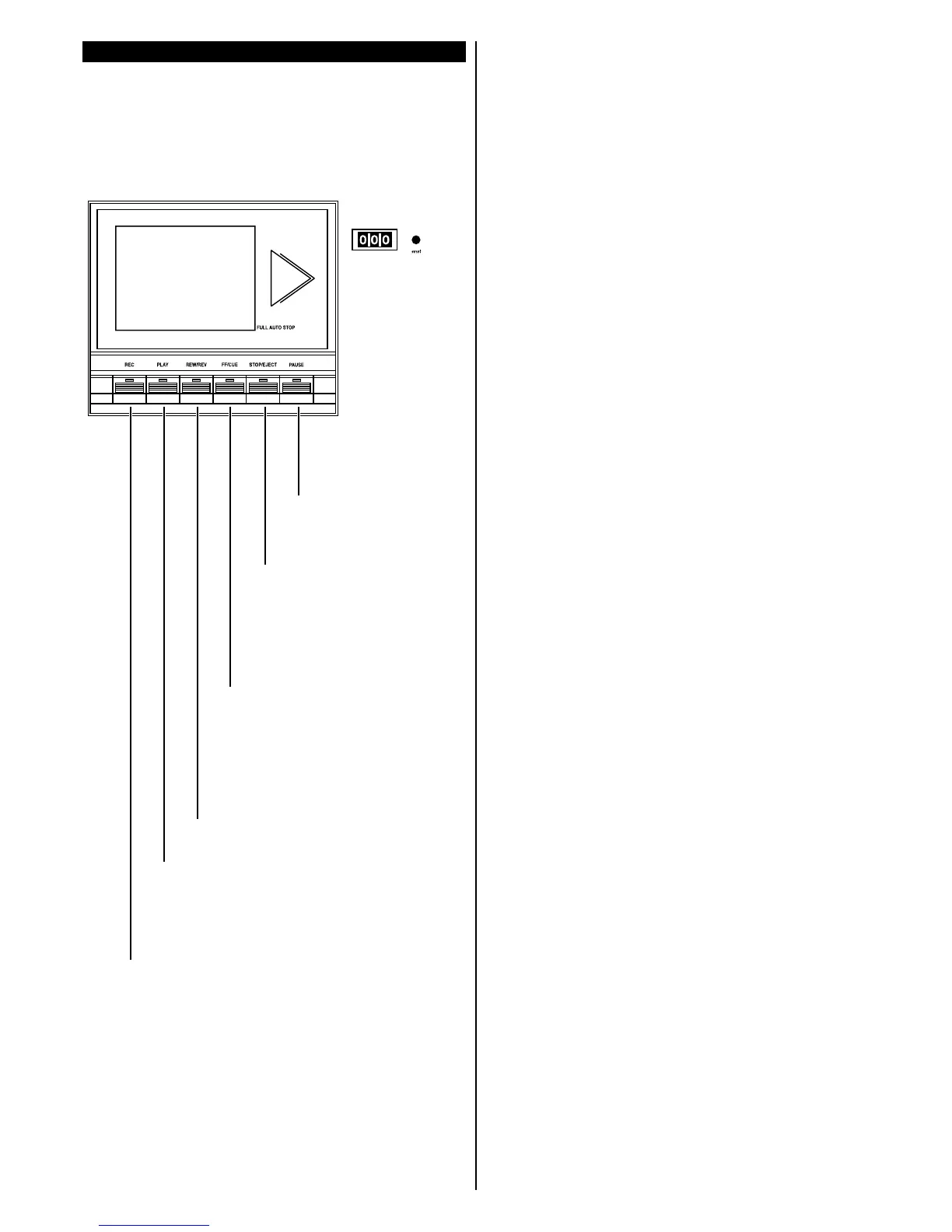
PAUSE
Stops tape recording and play-
back, without disengaging the
tape heads and capstan wheel.
STOP/EJECT
Opens the cassette door to insert or
remove tapes. Stops play, fast
forward and rewind functions.
FAST FORWARD/CUE
From the STOP position, the cassette will
fast-wind forwards.
From the PLAY position, the cassette will
fast-wind forwards while the button is
pushed down. This allows the user to move
forward as required without having to STOP-
START the cassette.
REWIND/REVIEW
From the STOP position, the cassette will wind
backwards.
From the PLAY position, the cassette will wind
backwards while the button is pushed down. This
allows the user to quickly repeat a passage as
required without having to STOP-START the
cassette.
PLAY
Plays pre-recorded tape.
RECORD
Press the REC key to record from microphones, CD or any other
external source.
The PLAY button will automatically depress at the same time. One
of the indicators (1) will illuminate, showing the record signal
source.
THE CASSETTE RECORDER
Ensure the TAPE/CD selector switch
(4) is OUT for cassette playback


 To Next Page
 Loading...