Need help?
Do you have a question about the Cooper Atkins Dual-Temp 2 481 and is the answer not in the manual?
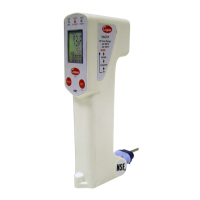
Overview of the Dual-Temp 2M Model 481 Infrared Thermometer for food safety applications.
Highlights the instrument's capabilities, including dual temperature measurements and HACCP indicators.
Details the temperature ranges, accuracy, resolution, and dimensions of the thermometer.
Identifies the buttons on the keypad: MODE, SET, HOLD, and Cooper buttons.
Explains the function of Green and Red LEDs for HACCP temperature zones.
Describes the different readouts on the LCD: real-time, maximum temperature, timer, and probe display.
Details the meaning of LED color changes for safe, cautionary, and danger zones.
Illustrates the numbering of display elements like upper, middle, and lower displays.
Instructions for turning the meter on, auto-off function, and cycling through IR, Probe, and Timer modes.
How to switch between Fahrenheit (°F) and Celsius (°C) temperature units.
Procedure for measuring surface temperature using the infrared sensor and its HACCP indicators.
Guidance on using the probe for internal temperature readings and its HACCP indication.
Explains how to freeze the last reading in both IR and Probe modes.
Details how the meter indicates food safety status based on temperature zones.
Key points regarding water resistance, probe replacement, and verification of readings.
Instructions for cleaning the exterior housing with a damp cloth.
Method for removing particles from the infrared lens using compressed air or a swab.
Procedure for sterilizing the probe before and after each measurement.
 General
| Display | LCD |
|---|---|
| Auto Power Off | Yes |
| Water Resistance | IPX7 |
| Waterproof | Yes |
| Resolution | 0.1° |
| Probe Length | 5 inches |
| Battery Type | AAA |

 To Next Page