- 5 -
EN
Device Settings
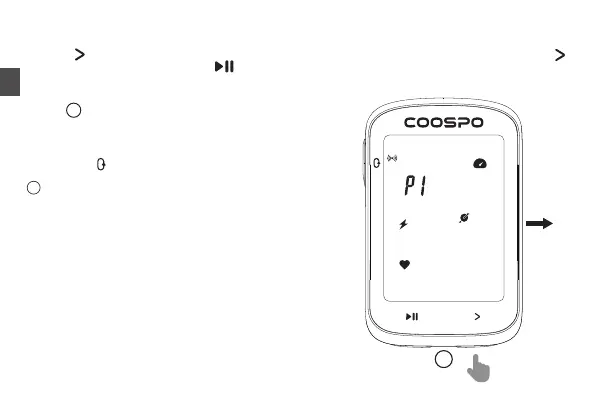
Long press for 2 seconds to access settings, Setting page blinks to indicate that it is on the current page.short press
to switch between P1-P5, and short press to enter current settings.
Add sensors in the app:
Open CoospoRide > Devices > CS300 > Add Sensor.
Note: Settings will be automatically saved and exited after 10 seconds of no button operation.
Setting : Add Sensor
The device automatically recognizes and adds sensors.
Searching: icons and data flash;
Connected: icons and data are always on;
Short press to save and return.
!
1
1
Check sensor compatibility: www.coospo.com/faq



 To Next Page