EasyManua.ls Logo

Coral 600 - User Manual

Default Icon
33 pages
Print Icon
To Next Page IconTo Next Page
Loading...
1. Introduction
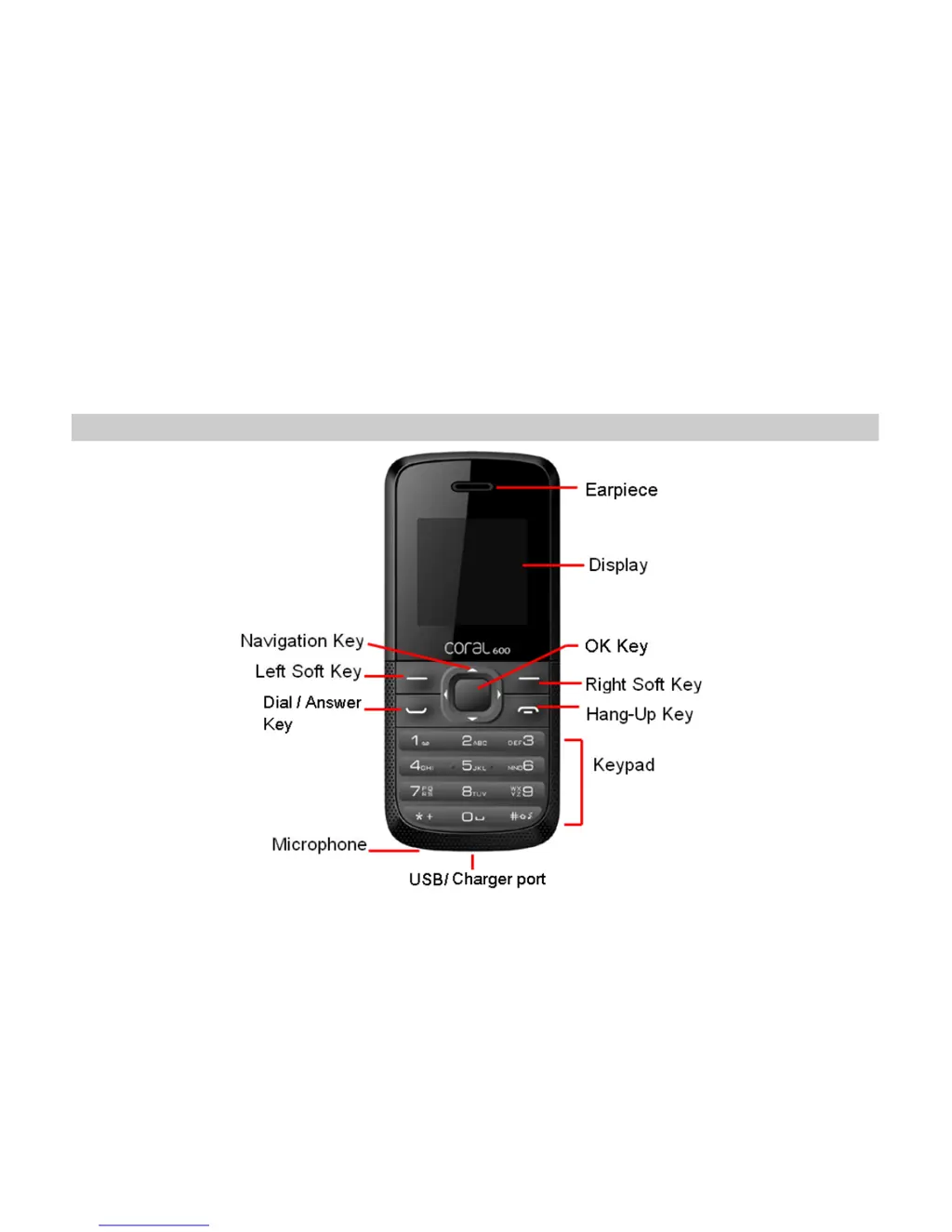
1.1 Phone Display

Questions and Answers

Summary

1. Introduction

1.1 Phone Display

Details the physical components of the phone's display area and front panel.

1.2 Phone Keys

Explains the function of each key on the phone for operation and navigation.

Operational Keys

Describes the operational keys: Dial/Answer, Hang-Up, Soft Keys, and Navigation Key.

Special Function Keys

Details the functions of special keys like *, #, and OK for various operations.

1.3 Icons & Symbols

Status Icons

Icons for network, battery, messages, alarms, call divert, silence, auto answer, and vibrate status.

2. Getting Started

SIM Card and Battery Installation

Steps for inserting SIM card, installing battery, and closing the phone.

Powering On and Charging

Procedures for turning the phone on and charging the battery.

3. Text Entry

Input Methods Overview

How to switch between input methods and use predictive text.

Text Input Modes

Guides for using Multi-tap and Numeric text input methods.

4. Calling

Making and Answering Calls

Steps to initiate, receive, and reject phone calls, including international calls.

5. Call history

6. STK

7. Game

8. FM radio

9. Phonebook

Contact Management

Steps to add, view, and manage phone contacts.

10. Messages

Message and Voicemail Operations

Guide to composing messages and accessing voicemail.

11. Tools

Calculator and Countdown Timer

How to use the calculator and countdown timer features.

12. Organizer

Alarm and Calendar Functions

Setting and using alarms and the calendar for events.

13. Settings

14. Precautions

15. Troubleshooting

16. Safety Information and Notices

12 MONTH LIMITED WARRANTY

Coral 600 Specifications

General IconGeneral
BrandCoral
Model600
CategoryCell Phone
LanguageEnglish

Related product manuals