
 Need help?
Do you have a question about the Cornell CAC-31 and is the answer not in the manual?
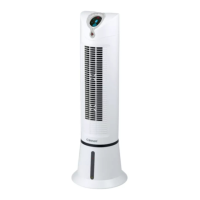
Identifies the control panel, LED display, remote control, wind outlet, and water level indicator.
Details the wind inlet, water filter, dust filter, water tank cover, water tank, and drainage stopper.
Lists the items included with the air cooler, such as Ice Pack, Remote Control, and User Manual.
Provides technical details including Model, Rated Voltage, Rated Wattage, and Frequency.
Guide on unpacking, connecting, and filling the water tank correctly for initial use.
Key considerations for adding water, operating the appliance, and using the ice pack.
Explanation of keys like Speed, Cooling/Humidity, Oscillation, Timer, and Ion for operation.
Details on Normal, Natural, and Sleeping wind modes and their operational characteristics.
Instructions for cleaning and replacing the air filtering net to ensure optimal airflow.
Steps for cleaning the water tank and the outer cover of the appliance.
 General
| Brand | Cornell |
|---|---|
| Model | CAC-31 |
| Category | Air Conditioner |
| Language | English |

 To Next Page